




 Docker
 Antigravity
 Visual Studio
 Parallels
 Dreamweaver
 Access
 Portfolio
 UltraEdit
-
Latest Version
Spyder Phyton 6.1.6 LATEST
-
Review by
-
Operating System
macOS 14.0 Sonoma or later
-
User Rating
Click to vote -
Author / Product
-
Filename
Spyder-macOS-arm64.pkg
-
MD5 Checksum
62d3ea1f8b7830118eef633641807f6a
It offers a unique combination of the advanced editing, analysis, debugging, and profiling functionality of a comprehensive development tool with the data exploration, interactive execution, deep inspection, and beautiful visualization capabilities of a scientific package.
Beyond its many built-in features, its abilities can be extended even further via its plugin system and API.
Furthermore, Spyder for macOS can also be used as a PyQt5 extension library, allowing developers to build upon its functionality and embed its components, such as the interactive console, in their own PyQt software. Core building blocks of a powerful IDE!
The easy way to get up and running with Spyder Python for Mac on any of the supported platforms is to download it as part of the Anaconda distribution and use the conda package and environment manager to keep it and your other packages installed and up to date.
Features and Highlights
Editor
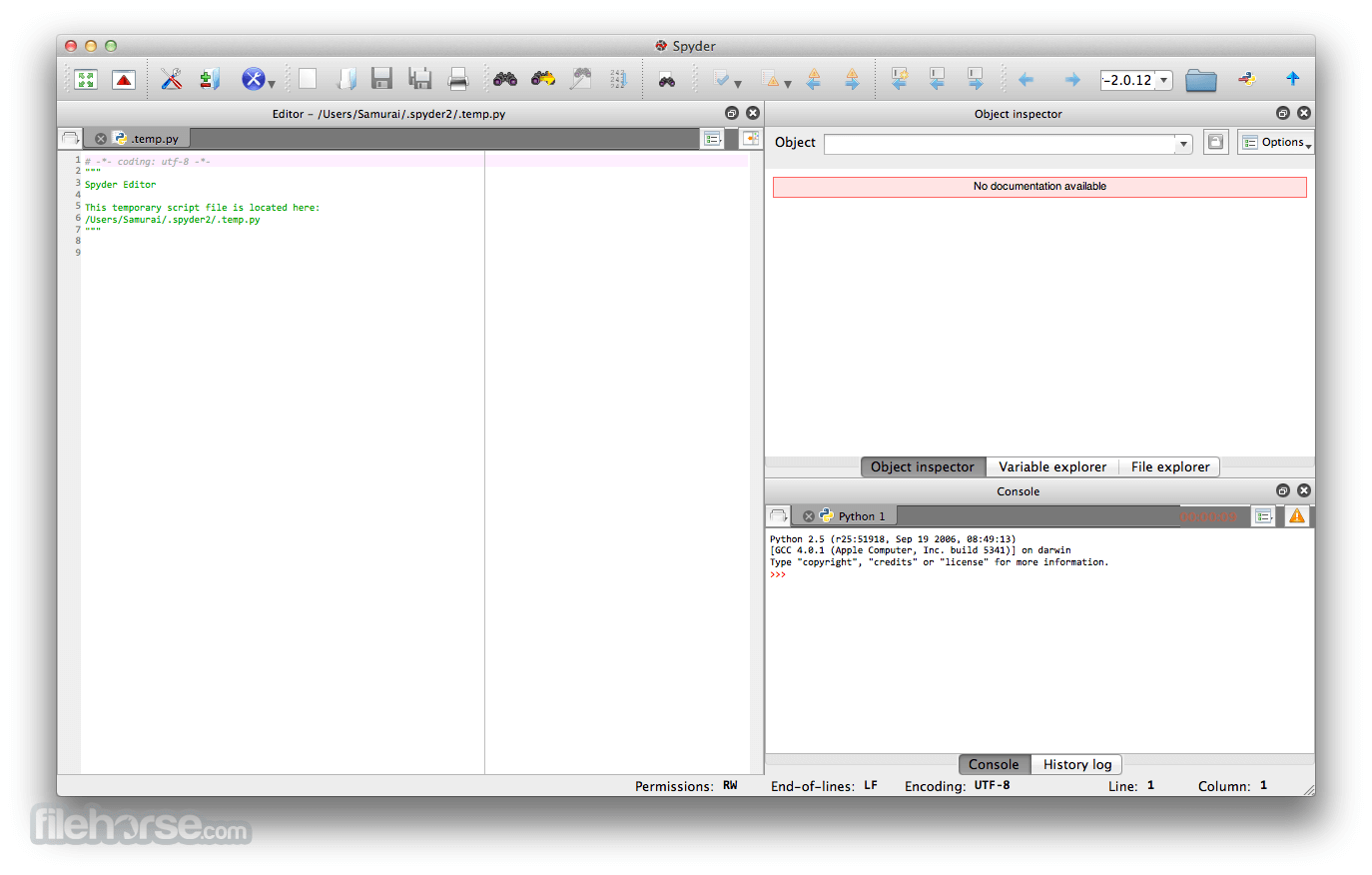
Work efficiently in a multi-language editor with a function/class browser, code analysis tools, automatic code completion, horizontal/vertical splitting, and go-to-definition.
IPython Console
Harness the power of as many IPython consoles as you like within the flexibility of a full GUI interface; run your code by line, cell, or file; and render plots right inline.
Variable Explorer
Interact with and modify variables on the fly: plot a histogram or time-series, edit a dateframe or Numpy array, sort a collection, dig into nested objects, and more!
Profiler
Find and eliminate bottlenecks to unchain your code's performance.
Debugger
Trace each step of your code's execution interactively.
Help
Instantly view any object's docs, and render your own.
How to Use
- Install Anaconda for easier environment management
- Launch Spyder from the Applications folder or terminal
- Create or open a Python script in the Editor pane
- Use the IPython Console to run code interactively
- View variables in the Variable Explorer pane
- Customize layout and preferences via Tools > Preferences
- Save your work and export plots or data if needed
- Update packages via Anaconda Navigator or terminal
- Use the Help pane for documentation and function tips
- macOS 10.13 (High Sierra) or later
- At least 4 GB of RAM (8 GB recommended)
- 400 MB of free disk space
- Python 3.7 or later (Anaconda recommended)
- 64-bit Intel or Apple Silicon processor
- User-friendly scientific Python IDE
- Integrated IPython console
- Variable explorer and data viewer
- Syntax highlighting and code completion
- Built-in debugger and profiler
- Slower performance on large scripts
- Heavier than lightweight editors
- Occasional UI lags or freezes
- Limited features compared to full IDEs
- Requires Anaconda for best experience
-
Spyder Phyton 6.1.6 Screenshots
The images below have been resized. Click on them to view the screenshots in full size.
What's new in this version:
New features:
- Add support for Jedi 0.20.0
- Add support for python-lsp-server 1.15.0
Important fixes:
- Prevent Variable Explorer viewers for arrays and dataframes to go to the background on macOS
- Prevent Spyder to steal focus from other applications at startup
- Prevent duplicate key sequences when changing shortcuts in Preferences
- Fix syntax highlighting of match and case builtins
- Fix running batch scripts with spaces in their path on Windows
- Fix docstring generation for nested functions
Fixed:
- Installers are failing to build on CIs
- TimeoutError when changing Matplotlib backend in Preferences
- Running batch script on Windows fails with space in file path
- Spyder updater tries to find nonexistent start menu file on Windows
- TypeError when generating docstring for parent of nested function
- Tooltip width inconsistencies in the Preferences window
- Support Jedi 0.20.0
- When setting a Keyboard shortcut via the IDE, the key is registered twice
- OSError: No space left on device when updating Spyder
- Spyder window forces itself into foreground multiple times during startup
- Variable Explorer viewers go to the background when opening them on Mac
- Other incorrect syntax highlighting of the words "match" and "case" outside of match/case structures
 OperaOpera 134.0 Build 5954.26
 PhotoshopAdobe Photoshop CC 2026 27.9.1
 OKXOKX - Buy Bitcoin or Ethereum
 WPS OfficeWPS Office
 Adobe AcrobatAdobe Acrobat Pro 2026.001.21771
 CleamioCleamio 3.4.0
 MalwarebytesMalwarebytes 5.25.2
 TradingViewTradingView - Track All Markets
 CleanMyMacCleanMyMac X 5.2.10
 AdGuard VPNAdGuard VPN for Mac 2.9.0
Comments and User Reviews