




 Antigravity
 Dreamweaver
 Docker
 UltraEdit
 Access
 Portfolio
 Parallels
 Visual Studio
-
Latest Version
Spyder Phyton 6.1.5 LATEST
-
Review by
-
Operating System
macOS 14.0 Sonoma or later
-
User Rating
Click to vote -
Author / Product
-
Filename
Spyder-macOS-arm64.pkg
-
MD5 Checksum
ccd9ebb24d2a72f025e973873194dcf6
It offers a unique combination of the advanced editing, analysis, debugging, and profiling functionality of a comprehensive development tool with the data exploration, interactive execution, deep inspection, and beautiful visualization capabilities of a scientific package.
Beyond its many built-in features, its abilities can be extended even further via its plugin system and API.
Furthermore, Spyder for macOS can also be used as a PyQt5 extension library, allowing developers to build upon its functionality and embed its components, such as the interactive console, in their own PyQt software. Core building blocks of a powerful IDE!
The easy way to get up and running with Spyder Python for Mac on any of the supported platforms is to download it as part of the Anaconda distribution and use the conda package and environment manager to keep it and your other packages installed and up to date.
Features and Highlights
Editor
Work efficiently in a multi-language editor with a function/class browser, code analysis tools, automatic code completion, horizontal/vertical splitting, and go-to-definition.
IPython Console
Harness the power of as many IPython consoles as you like within the flexibility of a full GUI interface; run your code by line, cell, or file; and render plots right inline.
Variable Explorer
Interact with and modify variables on the fly: plot a histogram or time-series, edit a dateframe or Numpy array, sort a collection, dig into nested objects, and more!
Profiler
Find and eliminate bottlenecks to unchain your code's performance.
Debugger
Trace each step of your code's execution interactively.
Help
Instantly view any object's docs, and render your own.
How to Use
- Install Anaconda for easier environment management
- Launch Spyder from the Applications folder or terminal
- Create or open a Python script in the Editor pane
- Use the IPython Console to run code interactively
- View variables in the Variable Explorer pane
- Customize layout and preferences via Tools > Preferences
- Save your work and export plots or data if needed
- Update packages via Anaconda Navigator or terminal
- Use the Help pane for documentation and function tips
- macOS 10.13 (High Sierra) or later
- At least 4 GB of RAM (8 GB recommended)
- 400 MB of free disk space
- Python 3.7 or later (Anaconda recommended)
- 64-bit Intel or Apple Silicon processor
- User-friendly scientific Python IDE
- Integrated IPython console
- Variable explorer and data viewer
- Syntax highlighting and code completion
- Built-in debugger and profiler
- Slower performance on large scripts
- Heavier than lightweight editors
- Occasional UI lags or freezes
- Limited features compared to full IDEs
- Requires Anaconda for best experience
-
Spyder Phyton 6.1.5 Screenshots
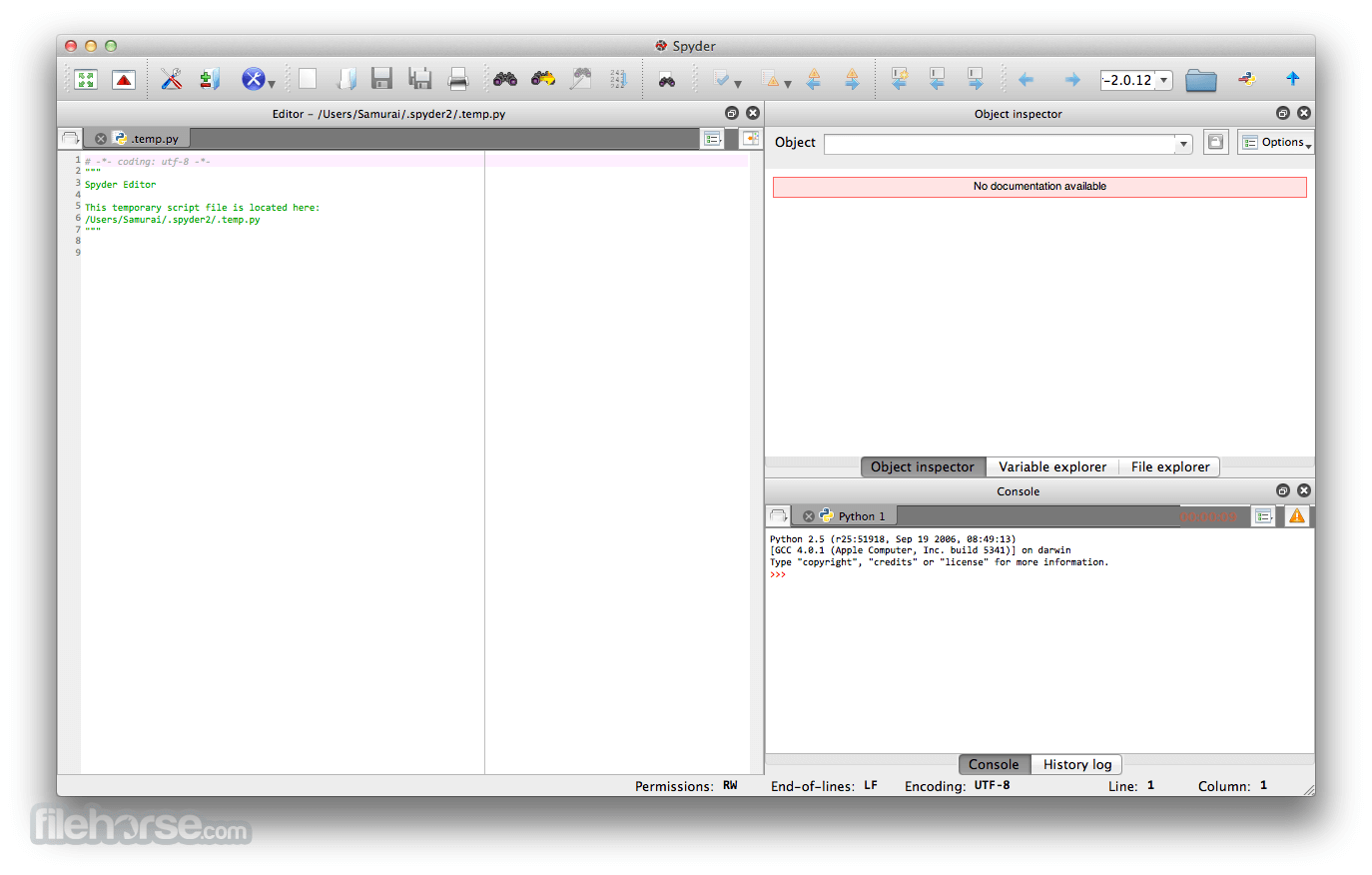
The images below have been resized. Click on them to view the screenshots in full size.
What's new in this version:
New features:
- Add support to use Ruff as code formatter in Preferences > Completion and linting > Code formatting
Important fixes:
- Make the IPython console work for Pixi global environments
- Increase max number of plots in the Plots pane to 10,000. Also, show message when that number is reached.
- Correctly show signatures with type annotations in the Help pane
- Fix hard crash when restarting the kernel of related IPython consoles
- Several fixes to the update process of the standalone installers
API changes:
- Add SHOW_INFO_MESSAGE and set_info_message to PluginMainWidget to show informative messages in dockable plugins
Fixed:
- Error output when updating from 6.1.4 to 6.1.5rc1 on Windows while Spyder is closing
- Error when copying array of strings in Variable explorer
- SSLError when trying to download spyder-updater.zip
- Spyder segfaults at startup with fontconfig 2.18 when using Conda-forge packages
- SyntaxError when starting the kernel in Spyder 6.1.4 standalone Windows installer
- Viewing plot triggers error
- Spyder fails to launch kernel for pixi environments when PIXI_HOME is set
- Plugins disabling/enabling related issues
- -FilePath error message when attempting to update just installed and auto launched Spyder from Windows installer
- Can the maximum number of plots be increased?
- pytest 9 incompatible with fixtures
- Error when trying to read updater logs
- Weird button appears on top of console when Status bar is disabled
- Pixi global environment can't open its own internal kernel.
- Spyder crashes when restarting kernel with two consoles
- Fix symbol switcher opening behavior, which moves the cursor to first symbol of the file
- AttributeError when calling switch_to_plugin
- Verbose type annotations in help panel
- [Feature Request]: AutoFormat using Ruff
- Editor scrollbar covers class and function selector; console scrollbar covers console panel
 OperaOpera 133.0 Build 5932.10
 PhotoshopAdobe Photoshop CC 2026 27.8
 OKXOKX - Buy Bitcoin or Ethereum
 WPS OfficeWPS Office
 Adobe AcrobatAdobe Acrobat Pro 2026.001.21677
 CleamioCleamio 3.4.0
 MalwarebytesMalwarebytes 5.24.0
 TradingViewTradingView - Track All Markets
 CleanMyMacCleanMyMac X 5.2.10
 AdGuard VPNAdGuard VPN for Mac 2.9.0
Comments and User Reviews