




 Filmora
 Premiere Pro
 Amazon Prime
 4K Video
 VideoPaw
 CapCut
 Restream
 After Effects
-
Latest Version
IINA 1.4.4 LATEST
-
Review by
-
Operating System
Mac OS X 10.10 or later
-
User Rating
Click to vote -
Author / Product
-
Filename
IINA.v1.4.4.dmg
IINA for Mac is a free multimedia player for your Mac! IINA for Mac is born to be a modern macOS app, from its framework to the user interface.
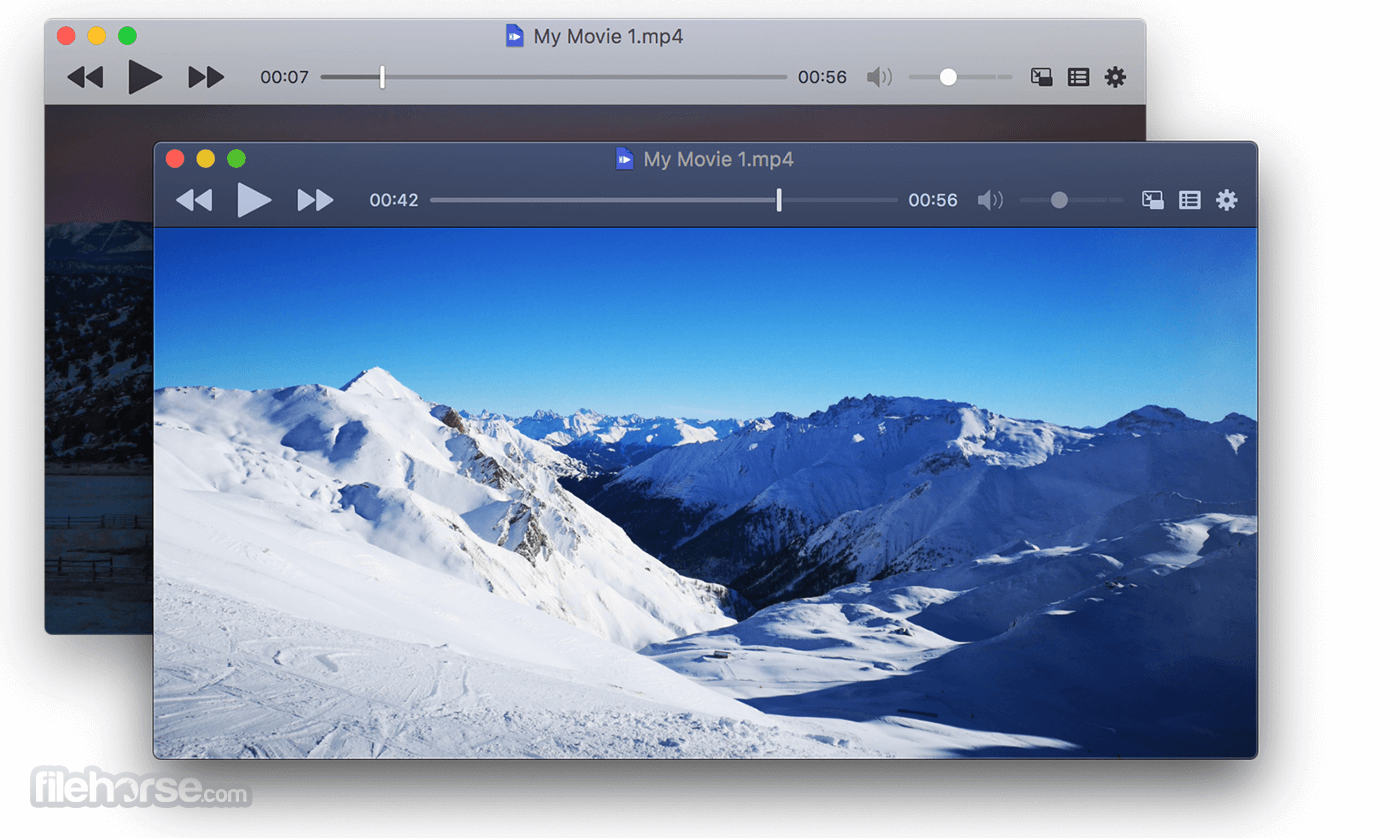
It adopts the post-Yosemite design language of macOS and keeps up the pace of new technologies like Force Touch, Touch Bar, and Picture-in-Picture.
Written in the Swift programming language, IINA is free and open-sourced under the GPLv3 license.
Features
Dark Mode
It ships with a carefully crafted user interface for the macOS Mojave dark mode, which includes adjusted colors, icons and textures, providing a sleek and unified look.
Picture-in-Picture
It supports the native Picture-in-Picture mode, enables you to enjoy either local or online videos without being distracted.
Plays anything.
Powered by the open source media player mpv, the tool can play almost every media file you have. With the support of youtube-dl and web browser extensions, you can also play a variety of online streams in the app via one click.
How to Use
VLC Media Player – Free, open-source, and versatile.
Movist – Simple interface with advanced codec support.
Elmedia Player – Free media player for Mac.
5KPlayer – Supports 4K, AirPlay, and DLNA streaming.
MPV Player – Lightweight, powerful, and customizable.
Plex for Mac – Media server with streaming and organization tools.
Kodi – Media center with extensive plugin support.
More Features
macOS 10.11 El Capitan or later
Apple Silicon or Intel-based Mac
64-bit processor
Minimum 2 GB RAM
Internet access for updates and online features
PROS
It adopts the post-Yosemite design language of macOS and keeps up the pace of new technologies like Force Touch, Touch Bar, and Picture-in-Picture.
Written in the Swift programming language, IINA is free and open-sourced under the GPLv3 license.
Features
Dark Mode
It ships with a carefully crafted user interface for the macOS Mojave dark mode, which includes adjusted colors, icons and textures, providing a sleek and unified look.
Picture-in-Picture
It supports the native Picture-in-Picture mode, enables you to enjoy either local or online videos without being distracted.
Plays anything.
Powered by the open source media player mpv, the tool can play almost every media file you have. With the support of youtube-dl and web browser extensions, you can also play a variety of online streams in the app via one click.
How to Use
- Open IINA after installation
- Drag and drop video or audio files into the player
- Use spacebar to play/pause, arrow keys to seek
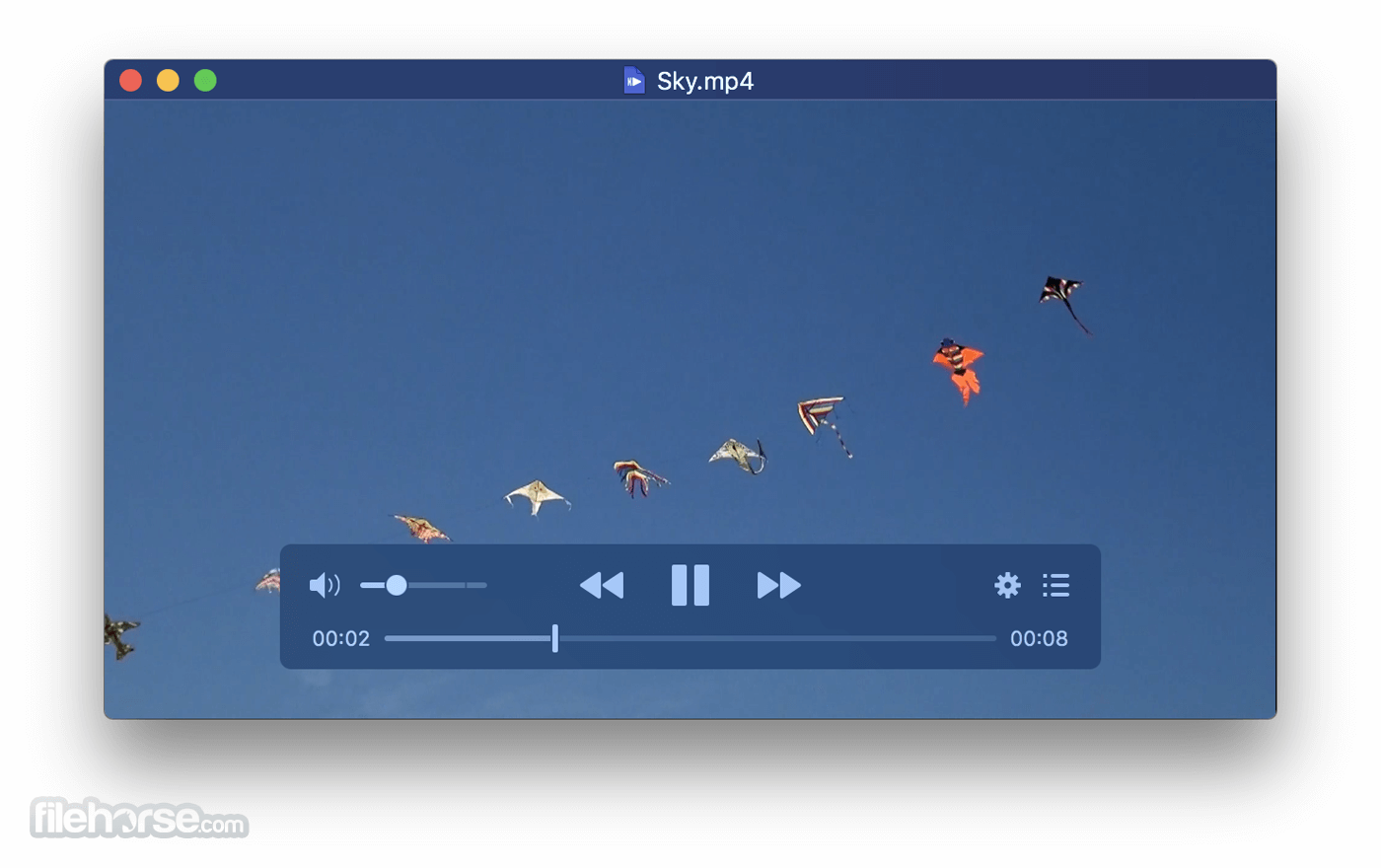
- Adjust subtitles, audio, and video from the control panel
- Customize settings via Preferences in the IINA menu
- Enable Picture-in-Picture from the playback menu
- Use playlist to manage multiple media files
VLC Media Player – Free, open-source, and versatile.
Movist – Simple interface with advanced codec support.
Elmedia Player – Free media player for Mac.
5KPlayer – Supports 4K, AirPlay, and DLNA streaming.
MPV Player – Lightweight, powerful, and customizable.
Plex for Mac – Media server with streaming and organization tools.
Kodi – Media center with extensive plugin support.
More Features
- Touch Bar
- System Media Control
- Customizable UI
- Online Subtitles
- Music Mode
- Mouse & Trackpad Gestures
- Thumbnail Preview
- Plugin System
macOS 10.11 El Capitan or later
Apple Silicon or Intel-based Mac
64-bit processor
Minimum 2 GB RAM
Internet access for updates and online features
PROS
- Modern interface with native macOS look
- Supports almost all media formats
- Picture-in-Picture and Touch Bar support
- Advanced subtitle and playlist features
- Open-source and actively updated
- No DVD or Blu-ray menu support
- May crash with uncommon codecs
- High CPU usage with 4K videos
- Limited streaming support
- No built-in media library management
Why is this app published on FileHorse? (More info)
-
IINA 1.4.4 Screenshots
The images below have been resized. Click on them to view the screenshots in full size.
-

-
What's new in this version:
Fixed:
- Added comprehensive guard to prevent the use of the iina:// URL scheme to modify local files. This blocks the remaining discovered paths that allow command injection in certain situations. Please see the safety advisory for more information.
 OperaOpera 135.0 Build 5973.133
 PhotoshopAdobe Photoshop CC 2026 27.10
 OKXOKX - Buy Bitcoin or Ethereum
 WPS OfficeWPS Office
 Adobe AcrobatAdobe Acrobat Pro 2026.002.21901
 CleamioCleamio 3.4.0
 MalwarebytesMalwarebytes 5.27.1
 TradingViewTradingView - Track All Markets
 CleanMyMacCleanMyMac X 5.2.10
 AdGuard VPNAdGuard VPN for Mac 2.10.0
Comments and User Reviews