




 UltraEdit
 Dreamweaver
 Antigravity
 Parallels
 Visual Studio
 Portfolio
 Docker
 Access
-
Latest Version
-
Operating System
macOS 10.12 Sierra or later
-
User Rating
Click to vote -
Author / Product
-
Filename
BlueJ-mac-x64-5.5.0.dmg
Sometimes latest versions of the software can cause issues when installed on older devices or devices running an older version of the operating system.
Software makers usually fix these issues but it can take them some time. What you can do in the meantime is to download and install an older version of BlueJ 5.5.0.
For those interested in downloading the most recent release of BlueJ for Mac or reading our review, simply click here.
All old versions distributed on our website are completely virus-free and available for download at no cost.
We would love to hear from you
If you have any questions or ideas that you want to share with us - head over to our Contact page and let us know. We value your feedback!
-
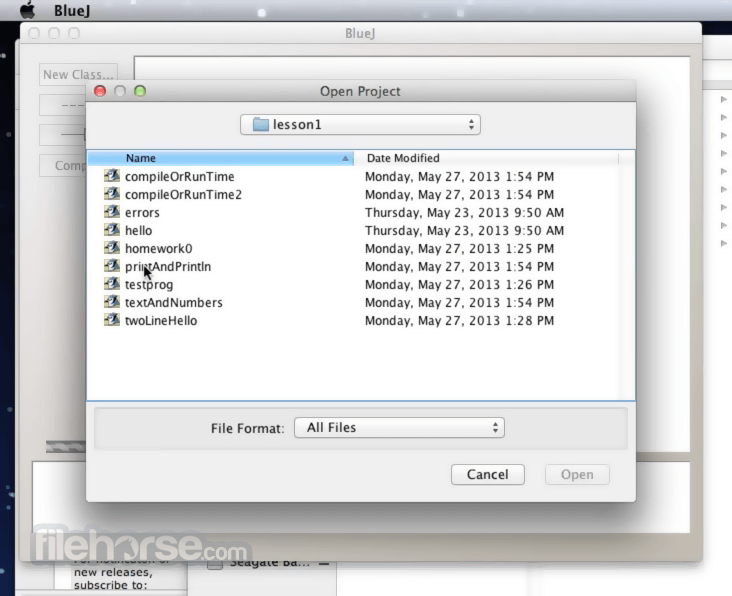
BlueJ 5.5.0 Screenshots
The images below have been resized. Click on them to view the screenshots in full size.

-
-

What's new in this version:
Fixed bugs:
- Fixed slowdown bug with Java classes over 5000 lines.
- Fixed bug with terminal sometimes not showing exceptions if the stderr pane was not previously visible.
- Fixed bug with rectangle characters showing up in the documentation view on Windows.
- Fixed bug with assert panel not changing the OK button to enabled (and the field to disabled) when selecting null/not-null as the assertion while recording a test
- Show quick fixes even if the locale is one that supports localised Java compiler error messages (e.g. German)
Improvements:
- The Edit->New CSS File has become Edit->New CSS/Text File and will let you create text files
- Select several lines in the Java editor, right-click and select "Screenshot line(s)". A screenshot of those lines will be put on the clipboard. The lines must all be visible on screen.
- In the Java editor, middle-click the name of any other class to go to its definition/documentation. (Also available on right-click menu.)
- When you inspect a String object, new pane for string content and new "Copy to clipboard" button.
- New "Re-run" button on left side of main window, re-runs last constructor or static method (or JavaFX app) with same parameters. (Compiles first, if needed.)
- The New Class dialog now has a new dropdown: Template or Minimal; the latter lets you create a class/interface/enum/record/etc without anything in the body.
- New checkbox in Preferences, in Interface -> General that lets you turn off re-opening last open projects.
- Slightly increased the space for line numbers to help with four-digit line numbers.
- Terminal window has new "Always on top" menu option.
- Made Cmd-comma open preferences on macOS.
- Ctrl-+ should increase font size on non-QWERTY keyboards.
- Increased default font size to 12 in new installations.
- Line numbers on by default in new installations.
- Editor tabs can be dragged to reorder them in the editor windows.
- Ctrl-scrollwheel on Windows and Linux, and two finger pinch-zoom gesture on all OSes changes the editor font size.
- Changed the default Java editor and terminal font to "Source Code Pro", which supports box-drawing characters.
 OperaOpera 134.0 Build 5954.46
 PhotoshopAdobe Photoshop CC 2026 27.9.1
 OKXOKX - Buy Bitcoin or Ethereum
 WPS OfficeWPS Office
 Adobe AcrobatAdobe Acrobat Pro 2026.001.21771
 CleamioCleamio 3.4.0
 MalwarebytesMalwarebytes 5.25.2
 TradingViewTradingView - Track All Markets
 CleanMyMacCleanMyMac X 5.2.10
 AdGuard VPNAdGuard VPN for Mac 2.9.0
Comments and User Reviews