




 Docker
 UltraEdit
 Portfolio
 Visual Studio
 Antigravity
 Parallels
 Dreamweaver
 Access
-
Latest Version
BlueJ 6.0.0 LATEST
-
Review by
-
Operating System
macOS 10.12 Sierra or later
-
User Rating
Click to vote -
Author / Product
-
Filename
BlueJ-mac-x64-6.0.0.dmg
BlueJ for Mac is a development environment that allows you to develop Java programs quickly and easily. Its main features are that it is:
BlueJ's editor features unique scope highlighting, where the background of each code block is colored to allow you to visually scan the code much faster. It also helps in spotting misplaced curly brackets.
You can also invoke Java code directly, without compilation, just by typing it in. The result is printed out and can then be inspected, manipulated, or passed as a parameter to another method call.
How to Use
Also Available: Download BlueJ for Windows
BlueJ's editor features unique scope highlighting, where the background of each code block is colored to allow you to visually scan the code much faster. It also helps in spotting misplaced curly brackets.
- Simple - BlueJ has a deliberately smaller and simpler interface than professional environments like NetBeans or Eclipse. This allows beginners to get started more quickly and without being overwhelmed.
- Designed for teaching - BlueJ is deliberately designed with good pedagogy in mind. There is a popular textbook designed for teaching introductory university/college courses with BlueJ, and a site full of teaching resources.
- Interactive BlueJ - allows you to interact with objects. You can inspect their value, call methods on them, pass them as parameters, and more. You can also directly invoke Java expressions without compiling. Thus, BlueJ for macOS is a powerful graphical shell/REPL for Java.
- Portable BlueJ - runs on Windows, macOS, Linux, and other platforms that run Java. It can also run without installation from a USB stick.
- Mature BlueJ - is over fifteen years old, but continues to be updated and supported by a full-time team. "We aim to respond to all technical support requests within one working day."
- Innovative BlueJ - has several features not seen before in other IDEs. Its object bench, code pad, and scope coloring were all original BlueJ features.
You can also invoke Java code directly, without compilation, just by typing it in. The result is printed out and can then be inspected, manipulated, or passed as a parameter to another method call.
How to Use
- Open the .dmg file and drag BlueJ to Applications
- Launch BlueJ from the Applications folder
- Configure preferences in the BlueJ settings
- Create a new project to start coding
- Write and compile Java classes
- Run your program using the main method
- Use the object bench for object testing
- Save your work and export if needed
- Check for updates regularly
- macOS 10.13 (High Sierra) or later
- At least 2 GB of RAM
- 200 MB of available disk space
- Java Development Kit (JDK) 11 or higher
- Intel or Apple Silicon processor
- Easy to use for Java beginners
- Built-in editor with syntax highlighting
- Interactive object creation and testing
- Simple interface with clear layout
- Integrated debugger and terminal
- Limited to Java programming only
- Lacks support for advanced features
- Outdated UI design compared to modern IDEs
- Not ideal for large-scale projects
- Fewer extensions and plugins are available
Also Available: Download BlueJ for Windows
Why is this app published on FileHorse? (More info)
-
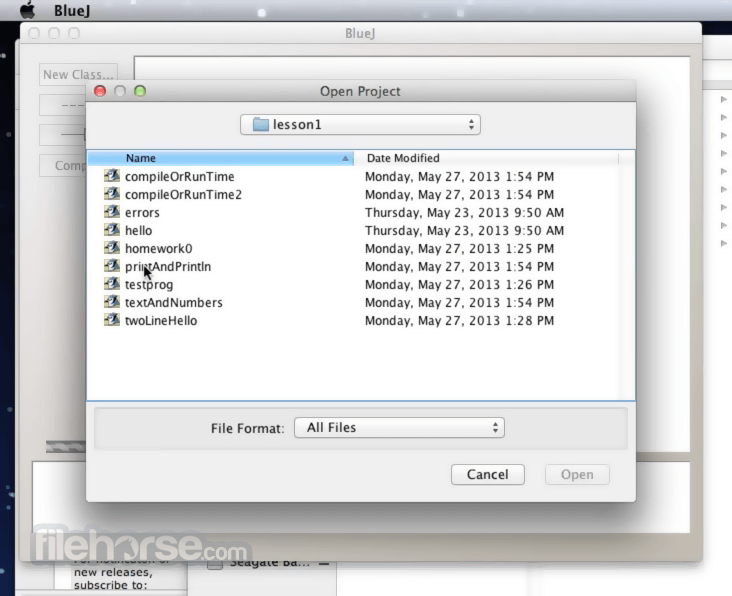
BlueJ 6.0.0 Screenshots
The images below have been resized. Click on them to view the screenshots in full size.

-
-

What's new in this version:
- Added support for Kotlin: creating, editing, compiling, and executing Kotlin source files
- In projects with multiple source languages (of Java/Kotlin/Stride), classes in the class diagram now indicate which language they are. Ditto for tabs in the editor.
- Add support for flatpak builds
 OperaOpera 134.0 Build 5954.46
 PhotoshopAdobe Photoshop CC 2026 27.9.1
 OKXOKX - Buy Bitcoin or Ethereum
 WPS OfficeWPS Office
 Adobe AcrobatAdobe Acrobat Pro 2026.001.21771
 CleamioCleamio 3.4.0
 MalwarebytesMalwarebytes 5.25.2
 TradingViewTradingView - Track All Markets
 CleanMyMacCleanMyMac X 5.2.10
 AdGuard VPNAdGuard VPN for Mac 2.9.0
Comments and User Reviews