




 Leonardo AI
 Apple Studio
 Watermark
 CorelDRAW
 Lightroom
 ACDSee
 Luminar Neo
-
Latest Version
-
Operating System
macOS 10.14 Mojave or later
-
User Rating
Click to vote -
Author / Product
-
Filename
Maxon_App_2026.3.0_Mac.dmg
Sometimes latest versions of the software can cause issues when installed on older devices or devices running an older version of the operating system.
Software makers usually fix these issues but it can take them some time. What you can do in the meantime is to download and install an older version of Trapcode Particular 2026.3.0.
For those interested in downloading the most recent release of Trapcode Particular for Mac or reading our review, simply click here.
All old versions distributed on our website are completely virus-free and available for download at no cost.
We would love to hear from you
If you have any questions or ideas that you want to share with us - head over to our Contact page and let us know. We value your feedback!
-
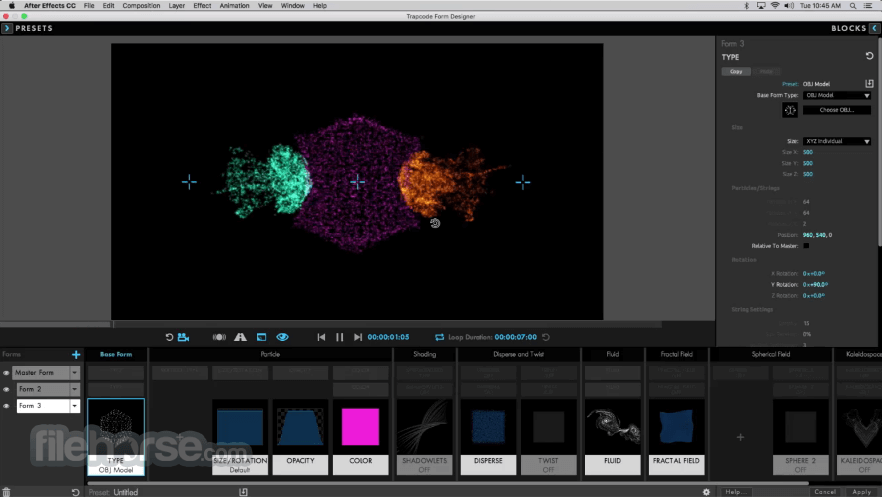
Trapcode Particular 2026.3.0 Screenshots
The images below have been resized. Click on them to view the screenshots in full size.

-

-
What's new in this version:
New:
- French Language Support - We are pleased to add French Language support to all of the Red Giant products! We hope this enhances the user experience for all of our native French speakers!
Fixed:
- an issue in Studio where an incorrect “Capsule can't be found” error would show after Modifying a capsule
- an issue in Studio where the plugin Preset menu dropdown didn't filter all presets properly
- an issue in Studio where the modify workflow would cause you to lose controls
- an issue in Studio where easing wasn’t captured in capsules
- an issue in Studio where saving a capsule would ignore split dimensions (X/Y unlinked)
- an issue in Studio where capsules were applying an extra solid layer named after the capsule on empty project create
- an issue in Studio where Looks Cloud Presets Fail to Download due to incorrect license requirements
- an issue in Studio where scrolling fast in preset window can cause presets to not show up
- some localization issues in Studio for Carousel Transition Description, some Magic Bullet Plugins and Universe, and TC form Designer.
- an issue in Studio where choose Preset from plugin doesn't open presets unless Studio panel is closed
- an issue in Studio where preset categories are labelled incorrectly when user-generated presets are present
- an issue in Studio where blend mode control parameters don't have the correct dropdown
- an issue in Studio where saving a vertical capsule while using the default name failed
- an issue in Studio where using the replace footage feature of a capsule was not working on drag and drop
- an issue in Studio where an incorrect “Failed” message shows when applying Magic Bullet Looks preset
- minor copy/spelling issues in Studio
- a UI issue in Studio where the tree navigation could overlap icon tooltips
- a UI issue in Studio where the tree view would stay visible over full screen videos
- an issue where Geo wasn’t getting licensed by a 14 day free trial license
 OperaOpera 134.0 Build 5954.56
 PhotoshopAdobe Photoshop CC 2026 27.9.1
 OKXOKX - Buy Bitcoin or Ethereum
 WPS OfficeWPS Office
 Adobe AcrobatAdobe Acrobat Pro 2026.001.21789
 CleamioCleamio 3.4.0
 MalwarebytesMalwarebytes 5.25.2
 TradingViewTradingView - Track All Markets
 CleanMyMacCleanMyMac X 5.2.10
 AdGuard VPNAdGuard VPN for Mac 2.9.0
Comments and User Reviews