




 NTFS for Mac
 Paragon ExtFS
 EaseUS Video
 FileZilla
 StreamFab
 Commander
 AirRadar
 CloudMounter
-
Latest Version
Wireshark 4.6.7 LATEST
-
Review by
-
Operating System
macOS 10.12 Sierra or later
-
User Rating
Click to vote -
Author / Product
-
Filename
Wireshark 4.6.7.dmg
Wireshark's powerful features make it the tool of choice for network troubleshooting, protocol development, and education worldwide.
Wireshark for macOS was written by networking experts around the world, and is an example of the power of open source. The app is used by network professionals around the world for analysis, troubleshooting, software and protocol development and education.
The program has all of the standard features you would expect in a protocol analyzer, and several features not seen in any other product.
Its open source license allows talented experts in the networking community to add enhancements.
Features
- Packet Analysis: It captures data packets from a network in real-time or from saved capture files for in-depth analysis.
- Deep Inspection: Users can inspect hundreds of protocols, including Ethernet, IP, TCP, HTTP, DNS, and more, to diagnose network issues or investigate security incidents.
- Filtering: Advanced filtering capabilities allow users to sift through large volumes of data to focus on specific packets or protocols.
- Protocol Decoding: The app decodes packet contents into human-readable formats, aiding in understanding network communication.
- VoIP Analysis: Support for VoIP protocols enables analysis of voice and video communications.
- Exporting: Captured data can be exported to various file formats for further analysis or sharing.
- Extensibility: It offers a rich ecosystem of plugins and scripts for extending functionality.
- Deep inspection of hundreds of protocols, with more being added all the time
- Live capture and offline analysis
- Standard three-pane packet browser
- Multi-platform: Runs on Windows, Linux, macOS, Solaris, FreeBSD, NetBSD, and many others
- Captured network data can be browsed via a GUI, or via the TTY-mode TShark utility
- The most powerful display filters in the industry
- Rich VoIP analysis
- Read/write many different capture file formats: tcpdump (libpcap), Pcap NG, Catapult DCT2000, Cisco Secure IDS iplog, Microsoft Network Monitor, Network General Sniffer® (compressed and uncompressed), Sniffer® Pro, and NetXray®, Network Instruments Observer, NetScreen snoop, Novell LANalyzer, RADCOM WAN/LAN Analyzer, Shomiti/Finisar Surveyor, Tektronix K12xx, Visual Networks Visual UpTime, WildPackets EtherPeek/TokenPeek/AiroPeek, and many others
- Capture files compressed with gzip can be decompressed on the fly
- Live data can be read from Ethernet, IEEE 802.11, PPP/HDLC, ATM, Bluetooth, USB, Token Ring, Frame Relay, FDDI, and others (depending on your platform)
- Decryption support for many protocols, including IPsec, ISAKMP, Kerberos, SNMPv3, SSL/TLS, WEP, and WPA/WPA2
- Coloring rules can be applied to the packet list for quick, intuitive analysis
- Output can be exported to XML, PostScript®, CSV, or plain text
- Open the installer and follow on-screen instructions
- Launch Wireshark from the Applications folder
- Choose the network interface to capture packets
- Click “Start” to begin packet capture
- Use filters to narrow down packet results
- Analyze captured packets in the packet list pane
- Stop capture with the red square button
- Save or export capture files for later review
- Use the built-in tools for deeper protocol analysis
macOS 10.14 Mojave or later
64-bit Intel or Apple Silicon (M1/M2)
At least 2 GB RAM (4 GB or more recommended)
100 MB free disk space
XQuartz may be required for certain features
PROS
- Powerful network protocol analyzer
- Open source and free to use
- Supports hundreds of protocols
- Advanced filtering and search tools
- Regular updates and strong community
- Interface can be overwhelming
- Requires elevated permissions
- Can impact system performance
- Limited wireless capture on macOS
-
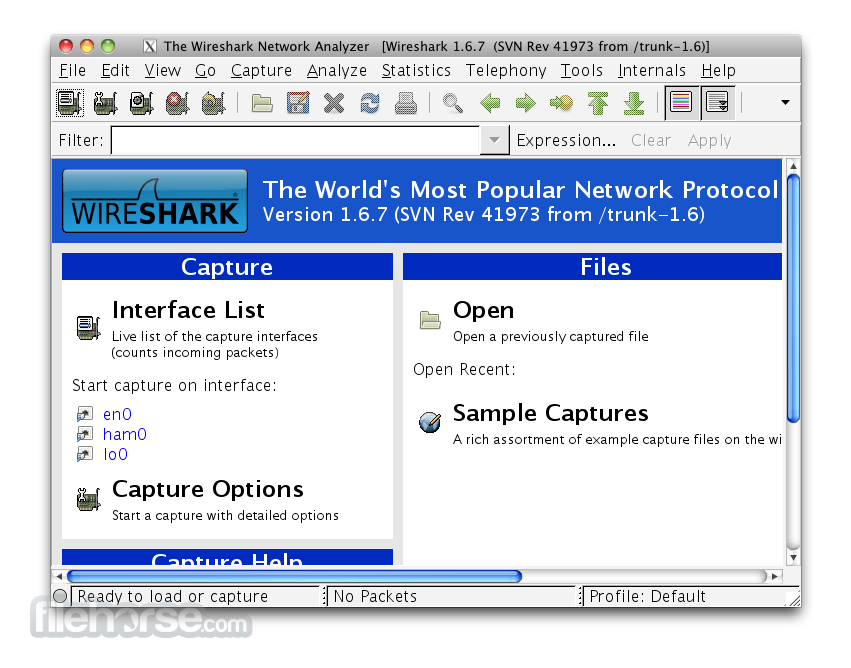
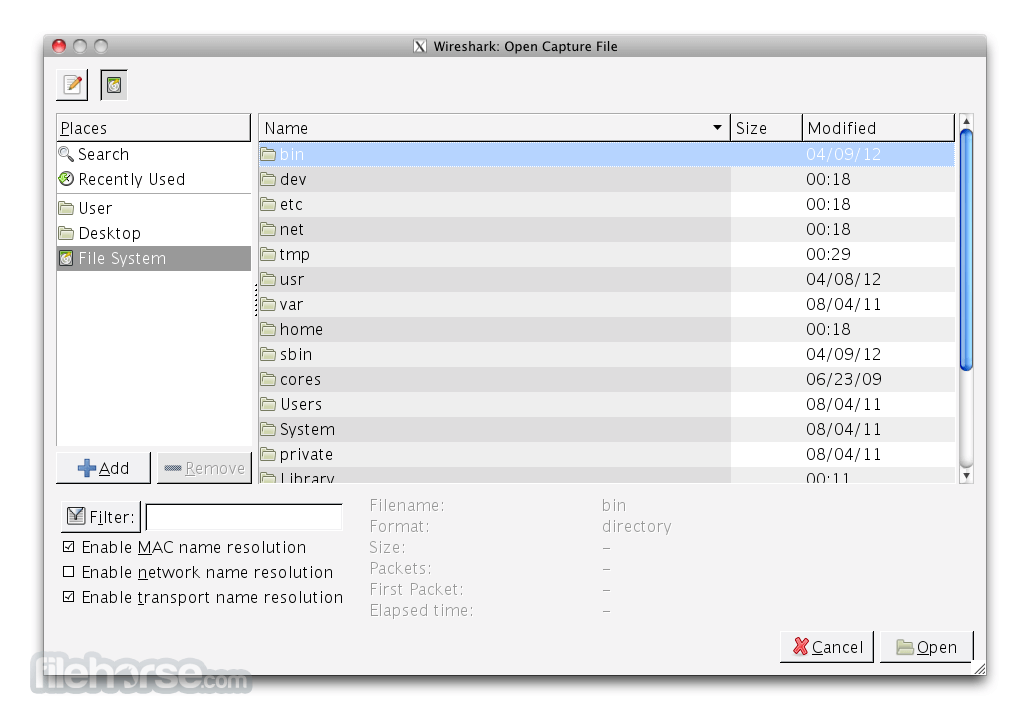
Wireshark 4.6.7 Screenshots
The images below have been resized. Click on them to view the screenshots in full size.
-

-
-

What's new in this version:
Fixed:
The following vulnerabilities have been fixed:
- wnpa-sec-2026-52 Catapult DCT2000 protocol dissector crash
- wnpa-sec-2026-53 pcapng file parser crash
- wnpa-sec-2026-54 FMP/NOTIFY protocol dissector large loop
- wnpa-sec-2026-55 SSH protocol dissector crash
- wnpa-sec-2026-56 TLS ECH decryption crash
- wnpa-sec-2026-57 IEEE 802.11 protocol dissector crash
- wnpa-sec-2026-58 Z39.50 protocol dissector crash
- wnpa-sec-2026-59 UMTS FP protocol dissector crash
- wnpa-sec-2026-60 BLF file parser information disclosure
- wnpa-sec-2026-61 Multiple protocol dissector infinite loops
- wnpa-sec-2026-62 DBS Etherwatch file parser crash
- wnpa-sec-2026-63 Ciscodump extcap crash
The following bugs have been fixed:
- Wireshark appears in German when the system language is Dutch
- Qt: Capture filter combo box does not enforce minimum size or expanding size policy
- BACapp: Error parsing you-are request
- Use-After-Free in Ethernet POWERLINK (EPL) Dissector during profile loading error path
- Sponsor slides are not properly shown
- Buffer overlow/segfault in Catapult DCT2000 dissector via not check no_ddi_entries in header
- Fuzz job issue: fuzz-2026-05-24-14517548985.pcap
- Fuzz job UTF-8 encoding issue: fuzz-2026-06-07-14732586286.pcap
- Memory leak in alp-sample1.pcap
- Memory leak in nspi.pcap
- Heap-Buffer-Overflow in Wireshark Logcat Parser
- IPv6 Ping from Debian (among others) is dissected as "HiPerConTracer" Issue 21349.
- HEVC (H.265) dissector: bit_offset not advanced after sub_layer_hrd_parameters() causes false Malformed Packet
- dfilter_compile_full: heap-buffer-overflow READ in ws_strptime on a time literal
- Wireshark crashes with a HEAP_CORRUPTION error when using the last saved recent_common file
- Fuzz job issue: fuzz-2026-06-30-15106674620.pcap
New and Updated Features:
- The Windows installers are now built with Visual Studio 2026
Updated Protocol Support:
- ALC, BACapp, C2P, Catapult DCT2000, COTP, CSN.1, DCERPC, DCERPC MAPI, DCERPC NSPI, DNS, DVB-S2-TABLE, eDonkey, EPL, FC ELS, FMP/NOTIFY, H.265, HiPerConTracer, IEEE 802.11, LLS, MEGACO, MIH, MPEG DSM-CC, MS-WSP, RELOAD, SGP.32, SSH, STANAG 4607, UMTS FP, WOWW, and Z39.50
New and Updated Capture File Support:
- Android Logcat, BLF, DBS Etherwatch, Netlog, and pcapng
Plugin Development Changes:
- On UN*X systems (excluding macOS when running from an app bundle, as with the official installer) extcap binaries are now searched for under the libexec directory by default, e.g., /usr/libexec/wireshark/extcap instead of /usr/lib64/wireshark/extcap or similar. This is the customary place for helper binaries, which as opposed to libraries do not need multiarch support. The location can be overridden via the environment variable WIRESHARK_EXTCAP_DIR. The extcap binaries shipped with Wireshark are installed in the new location, but third party extcaps may need packaging changes. This change was effective in version 4.6.0, but was not explicitly noted in the release notes previously. Note that some distributions do not use a libexec directory, such as Alpine Linux, which does not have multilib support. On such systems extcap binaries should be in the same location as before.
 OperaOpera 133.0 Build 5932.34
 PhotoshopAdobe Photoshop CC 2026 27.8
 OKXOKX - Buy Bitcoin or Ethereum
 WPS OfficeWPS Office
 Adobe AcrobatAdobe Acrobat Pro 2026.001.21691
 CleamioCleamio 3.4.0
 MalwarebytesMalwarebytes 5.24.0
 TradingViewTradingView - Track All Markets
 CleanMyMacCleanMyMac X 5.2.10
 AdGuard VPNAdGuard VPN for Mac 2.9.0
Comments and User Reviews