




 AirRadar
 Commander
 FileZilla
 Paragon ExtFS
 CloudMounter
 StreamFab
 EaseUS Video
 NTFS for Mac
-
Latest Version
Wireshark 4.6.8 LATEST
-
Review by
-
Operating System
macOS 10.12 Sierra or later
-
User Rating
Click to vote -
Author / Product
-
Filename
Wireshark 4.6.8.dmg
Wireshark's powerful features make it the tool of choice for network troubleshooting, protocol development, and education worldwide.
Wireshark for macOS was written by networking experts around the world, and is an example of the power of open source. The app is used by network professionals around the world for analysis, troubleshooting, software and protocol development and education.
The program has all of the standard features you would expect in a protocol analyzer, and several features not seen in any other product.
Its open source license allows talented experts in the networking community to add enhancements.
Features
- Packet Analysis: It captures data packets from a network in real-time or from saved capture files for in-depth analysis.
- Deep Inspection: Users can inspect hundreds of protocols, including Ethernet, IP, TCP, HTTP, DNS, and more, to diagnose network issues or investigate security incidents.
- Filtering: Advanced filtering capabilities allow users to sift through large volumes of data to focus on specific packets or protocols.
- Protocol Decoding: The app decodes packet contents into human-readable formats, aiding in understanding network communication.
- VoIP Analysis: Support for VoIP protocols enables analysis of voice and video communications.
- Exporting: Captured data can be exported to various file formats for further analysis or sharing.
- Extensibility: It offers a rich ecosystem of plugins and scripts for extending functionality.
- Deep inspection of hundreds of protocols, with more being added all the time
- Live capture and offline analysis
- Standard three-pane packet browser
- Multi-platform: Runs on Windows, Linux, macOS, Solaris, FreeBSD, NetBSD, and many others
- Captured network data can be browsed via a GUI, or via the TTY-mode TShark utility
- The most powerful display filters in the industry
- Rich VoIP analysis
- Read/write many different capture file formats: tcpdump (libpcap), Pcap NG, Catapult DCT2000, Cisco Secure IDS iplog, Microsoft Network Monitor, Network General Sniffer® (compressed and uncompressed), Sniffer® Pro, and NetXray®, Network Instruments Observer, NetScreen snoop, Novell LANalyzer, RADCOM WAN/LAN Analyzer, Shomiti/Finisar Surveyor, Tektronix K12xx, Visual Networks Visual UpTime, WildPackets EtherPeek/TokenPeek/AiroPeek, and many others
- Capture files compressed with gzip can be decompressed on the fly
- Live data can be read from Ethernet, IEEE 802.11, PPP/HDLC, ATM, Bluetooth, USB, Token Ring, Frame Relay, FDDI, and others (depending on your platform)
- Decryption support for many protocols, including IPsec, ISAKMP, Kerberos, SNMPv3, SSL/TLS, WEP, and WPA/WPA2
- Coloring rules can be applied to the packet list for quick, intuitive analysis
- Output can be exported to XML, PostScript®, CSV, or plain text
- Open the installer and follow on-screen instructions
- Launch Wireshark from the Applications folder
- Choose the network interface to capture packets
- Click “Start” to begin packet capture
- Use filters to narrow down packet results
- Analyze captured packets in the packet list pane
- Stop capture with the red square button
- Save or export capture files for later review
- Use the built-in tools for deeper protocol analysis
macOS 10.14 Mojave or later
64-bit Intel or Apple Silicon (M1/M2)
At least 2 GB RAM (4 GB or more recommended)
100 MB free disk space
XQuartz may be required for certain features
PROS
- Powerful network protocol analyzer
- Open source and free to use
- Supports hundreds of protocols
- Advanced filtering and search tools
- Regular updates and strong community
- Interface can be overwhelming
- Requires elevated permissions
- Can impact system performance
- Limited wireless capture on macOS
-
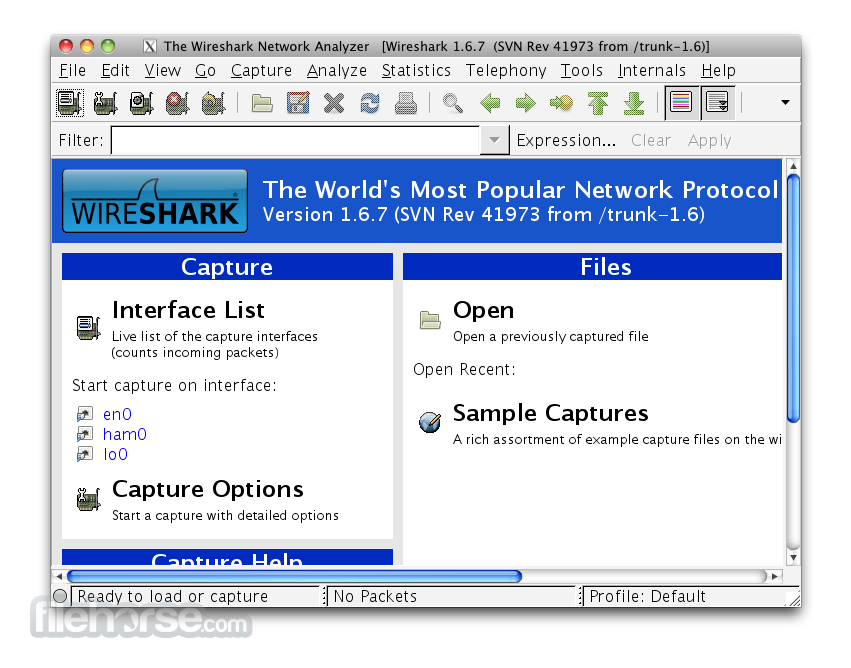
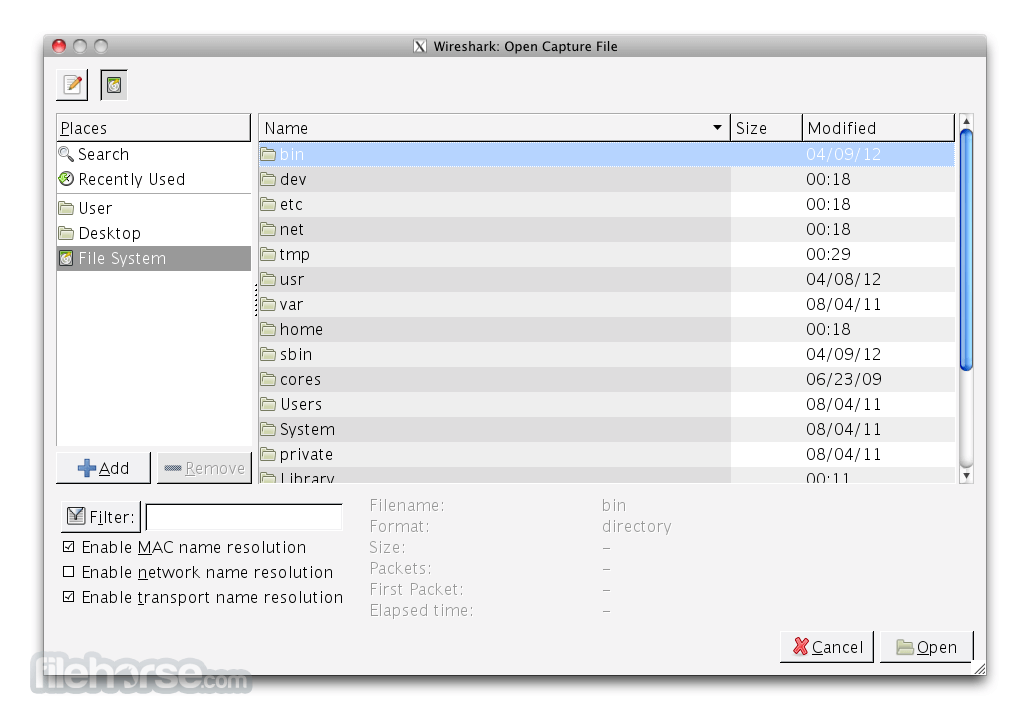
Wireshark 4.6.8 Screenshots
The images below have been resized. Click on them to view the screenshots in full size.
-

-
-

What's new in this version:
The following vulnerabilities have been fixed:
- sharkd crash
- sharkd crash
- UMTS FP protocol dissector crash
- RDP protocol dissector crash
- TTX Logger file parser crash
- Dissection engine reassembly crash
- BUSMASTER file parser abnormal exit
- Tektronix K12xx file parser crash
- ERF file parser crash
- Bluetooth Attribute Protocol dissector crash
- Catapult DCT2000 file parser crash
- C12.22 protocol dissector crash
- CMS protocol dissector crash
- H.245 protocol dissector crash
- Kerberos protocol dissector crash
- Bluetooth HFP Profile protocol dissector crash
- Bluetooth BR/EDR FHS protocol dissector crash
- 3gpp phone log file parser crash
- Ixia IxVeriWave and Vector Informatik BLF file parser crashes on Windows
- CMS protocol dissector crash
- Pcapng file parser crash
- SSH protocol dissector crash
- ESS protocol dissector crash
- X.509IF protocol dissector crash
- RRC protocol dissector crash
- C12.22 protocol dissector crash
- Gammu DCT3 trace file parser crash
- Bluetooth AVRCP Profile protocol dissector crash
The following bugs have been fixed:
- Fuzz job crash: randpkt-2026-05-22-14496207576.pcap
- Wireshark Version 4.6.6 - File Capture Properties is excessively slow and hangs Wireshark on Windows
- TCP Preference 'Analyze TCP sequence numbers' SEGFAULTs when toggled
- Wireshark misdecodes S-NSSAI location validity information IE (5G NAS)
- Wireshark misdecodes NSAG information IE (5G NAS)
- Fuzz job UTF-8 encoding issue: fuzz-2026-07-17-15393056954.pcap
- Wireshark misdecodes UE security capability IE (5G NAS)
- Wireshark misdecodes Registration wait range IE (5G NAS)
- Wireshark misdecodes Extended CAG information IE (5G NAS)
- Stack buffer overflow in K12/RF5 writer
- Security issues fixed in 4.6.8 and 4.4.18 Tracker
- BLF writer out-of-bounds read on truncated VLAN-tagged Ethernet frames
- DLMS/COSEM compact-array TypeDescription recursion bypass can exhaust the stack
- packet-knxip: Secure Wrapper size-offset causes NULL deref / SEGV when decrypting
- wiretap/rtpdump: swapped caplen/len on truncated samples
- H.245 returnedFunction nested GenericMessage dereferences NULL packet state
- X.509 export-object tap dereferences missing certificate subject
- Sniffer REC_HEADER2 error path over-reads stack buffer
- Deep NetLog JSON nesting exhausts the native stack
- androiddump signed btsnoop length causes global out-of-bounds read
- ERF writer underflows payload length for tiny truncated packets
- Wireshark misdecodes SOR transparent container IE (5G NAS)
- Unbounded Daintree timestamp fraction causes signed integer overflow
- Wireshark misdecodes SOR-CMCI of SOR transparent container IE (5G NAS)
- Wireshark misdecodes Service level AA container (5GSM NAS)
 OperaOpera 135.0 Build 5973.41
 PhotoshopAdobe Photoshop CC 2026 27.9.1
 OKXOKX - Buy Bitcoin or Ethereum
 WPS OfficeWPS Office
 Adobe AcrobatAdobe Acrobat Pro 2026.001.21789
 CleamioCleamio 3.4.0
 MalwarebytesMalwarebytes 5.25.2
 TradingViewTradingView - Track All Markets
 CleanMyMacCleanMyMac X 5.2.10
 AdGuard VPNAdGuard VPN for Mac 2.10.0
Comments and User Reviews