




 Luminar Neo
 Watermark
 Apple Studio
 Leonardo AI
 ACDSee
 CorelDRAW
 Lightroom
-
Latest Version
-
Operating System
macOS 10.12 Sierra or later
-
User Rating
Click to vote -
Author / Product
-
Filename
ActivePresenter_v10.1.1_setup.dmg
Sometimes latest versions of the software can cause issues when installed on older devices or devices running an older version of the operating system.
Software makers usually fix these issues but it can take them some time. What you can do in the meantime is to download and install an older version of ActivePresenter 10.1.1.
For those interested in downloading the most recent release of ActivePresenter for Mac or reading our review, simply click here.
All old versions distributed on our website are completely virus-free and available for download at no cost.
We would love to hear from you
If you have any questions or ideas that you want to share with us - head over to our Contact page and let us know. We value your feedback!
-
ActivePresenter 10.1.1 Screenshots
The images below have been resized. Click on them to view the screenshots in full size.
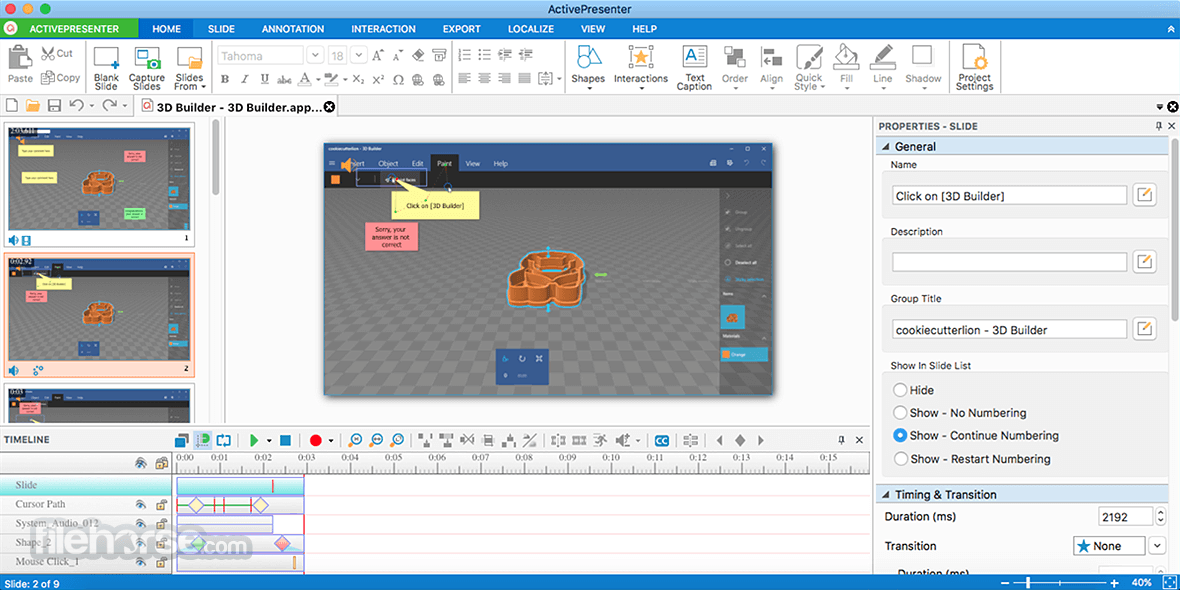
What's new in this version:
Enhancements:
- macOS 26 is officially supported
- Add admin control to enable or disable AI features
Fixed:
- Slide background images are rounded when opening projects created in version 9 or earlier
- Drag-n-Drop connectors remain visible when the question is hidden
- Cannot set group style for empty flex boxes and grid boxes
- Cannot get preview image of a YouTube video
- Changing slide layout doesn't completely remove placeholders of the old layout in some cases
- Resetting slide layout works incorrectly for some layouts
- [Timeline]: Tooltip is not dismissed when moving the cursor from slide to ruler
- [macOS]: The program becomes unresponsive when opening a project while the Variable Format dialog is displayed
- [HTML5]: Audio and video on the first slide may not play when restarting the presentation from the resume feedback
- [HTML5]: Drag-n-Drop questions may show incorrect feedback checkmarks in some cases
- [Publish uPresenter]: The resume feedback is displayed twice when users revisit the presentation
 OperaOpera 134.0 Build 5954.56
 PhotoshopAdobe Photoshop CC 2026 27.9.1
 OKXOKX - Buy Bitcoin or Ethereum
 WPS OfficeWPS Office
 Adobe AcrobatAdobe Acrobat Pro 2026.001.21789
 CleamioCleamio 3.4.0
 MalwarebytesMalwarebytes 5.25.2
 TradingViewTradingView - Track All Markets
 CleanMyMacCleanMyMac X 5.2.10
 AdGuard VPNAdGuard VPN for Mac 2.9.0
Comments and User Reviews