




 PDFelement
 Adobe Sign
 Trade Ideas
 Tungsten PDF
 Swift
Swift
-
Latest Version
-
Operating System
macOS 10.13 High Sierra or later
-
User Rating
Click to vote -
Author / Product
-
Filename
Zotero-9.0.dmg
Sometimes latest versions of the software can cause issues when installed on older devices or devices running an older version of the operating system.
Software makers usually fix these issues but it can take them some time. What you can do in the meantime is to download and install an older version of Zotero 9.0.
For those interested in downloading the most recent release of Zotero for Mac or reading our review, simply click here.
All old versions distributed on our website are completely virus-free and available for download at no cost.
We would love to hear from you
If you have any questions or ideas that you want to share with us - head over to our Contact page and let us know. We value your feedback!
-
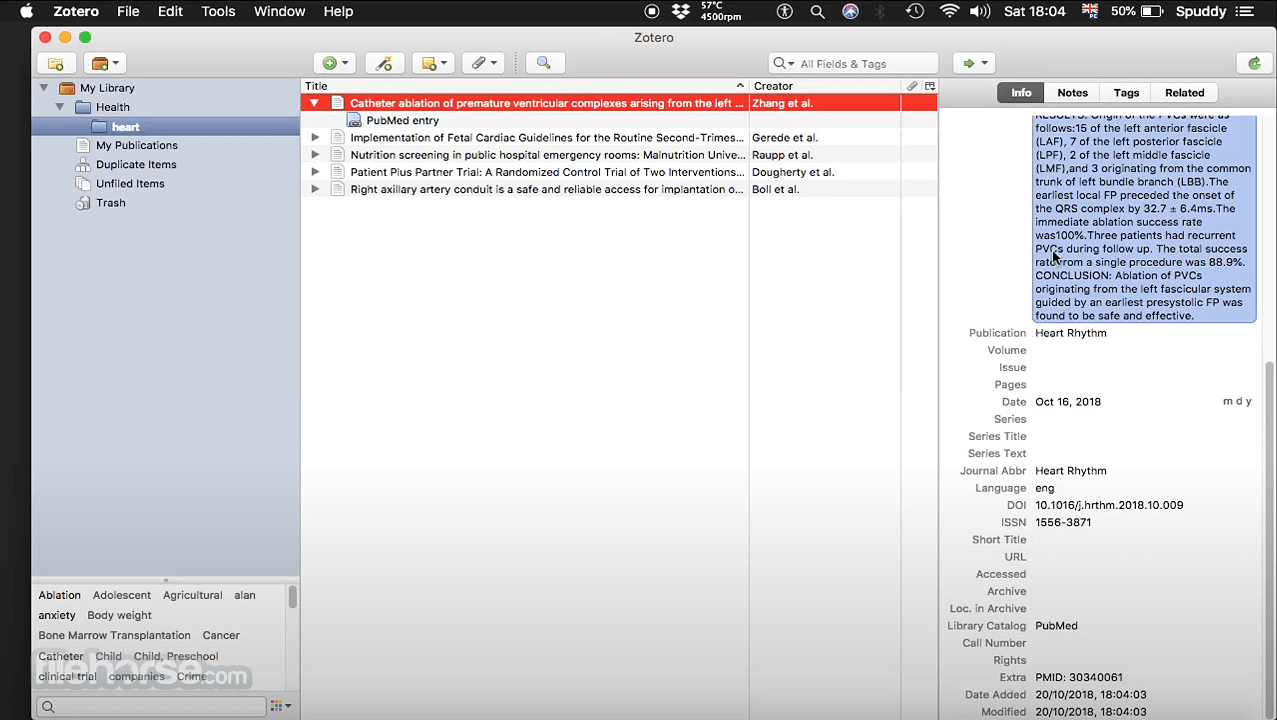
Zotero 9.0 Screenshots
The images below have been resized. Click on them to view the screenshots in full size.
-

-

-

What's new in this version:
Read Aloud:
- Listen to PDFs, EPUBs, and webpage snapshots with high-quality, natural-sounding voices
- Annotate the last sentence with a single click or H/U on keyboard
- Last reading position is saved and synced across devices
- Start reading from any paragraph by clicking in the left margin while Read Aloud is activated
“Recently Read” collection:
- New virtual collection in each library showing items you've read recently, synced across devices
- “Last Read” column available in all views
- “Attachment Last Read” search condition
Insert annotations directly into word processor documents:
- New “Add Annotation” button in word processor plugins lets you insert annotations directly into your document with active Zotero citations
“Added By” and “Modified By” for group libraries:
- View the group members who added and/or last edited items
- Shown in item pane, and can be added as columns in the items list
Per-group file renaming settings:
- Group admins can configure file-renaming templates for each group library
Performance improvements:
- Reduced startup memory usage by ~20%
- Detect external local attachment changes during sync without scanning all files
- Avoid repeated checks for remotely missing files during sync
- [Mac] Use APFS cloning for file copies, including automatic database backups, to save potentially hundreds of megabytes or gigabytes of local disk space
Web-based login flow:
- Log in to your Zotero account via the browser instead of entering credentials in the app
- Allows use of password managers
- Allows for two-factor authentication (currently testable; available by default soon)
Improved RTF Scan:
- Support for citations with extended and non-Latin characters in authors and titles
- Support for additional quotation mark styles
- Support for citations with title but no author
- Support for documents with multiple character encodings
Reader changes:
- Improved theme handling for scanned PDFs
- Support for fixed-layout EPUBs
- Don't apply dark-mode styling to printed PDFs
Items list improvements:
- “+”/“-” keys now expand/collapse all rows one level at a time
- Added Director as fallback for Creator for Video Recording items
- Fixed Title column not being recoverable when hidden by a plugin
- Added “Citation Key” column to items list
- Search by citation key in search bar (“Title, Creator, Year” mode) and citation dialog
- “View Online” button for PMID/PMCID to open PubMed and PubMed Central directly from the item pane
- Fixed “Rename File to Match Parent Item” button sometimes not appearing
- Don't merge trashed attachments
- Improved keyboard navigation in drop-down menus
- Exclude ©, ®, and ™ from emoji detection
- Show account email addresses in sync settings
- Various other improvements and bug fixes
 OperaOpera 135.0 Build 5973.41
 PhotoshopAdobe Photoshop CC 2026 27.9.1
 OKXOKX - Buy Bitcoin or Ethereum
 WPS OfficeWPS Office
 Adobe AcrobatAdobe Acrobat Pro 2026.001.21789
 CleamioCleamio 3.4.0
 MalwarebytesMalwarebytes 5.25.2
 TradingViewTradingView - Track All Markets
 CleanMyMacCleanMyMac X 5.2.10
 AdGuard VPNAdGuard VPN for Mac 2.10.0
Comments and User Reviews