




 Clean Email
 ProtonMail
 Teams
Teams Zoom
Zoom Snapchat
 ManyCam
 Crisp
Crisp Google Meet
-
Latest Version
-
Operating System
macOS 10.12 Sierra or later
-
User Rating
Click to vote -
Author / Product
-
Filename
Thunderbird 150.0.dmg
Sometimes latest versions of the software can cause issues when installed on older devices or devices running an older version of the operating system.
Software makers usually fix these issues but it can take them some time. What you can do in the meantime is to download and install an older version of Thunderbird 150.0.
For those interested in downloading the most recent release of Thunderbird for Mac or reading our review, simply click here.
All old versions distributed on our website are completely virus-free and available for download at no cost.
We would love to hear from you
If you have any questions or ideas that you want to share with us - head over to our Contact page and let us know. We value your feedback!
-
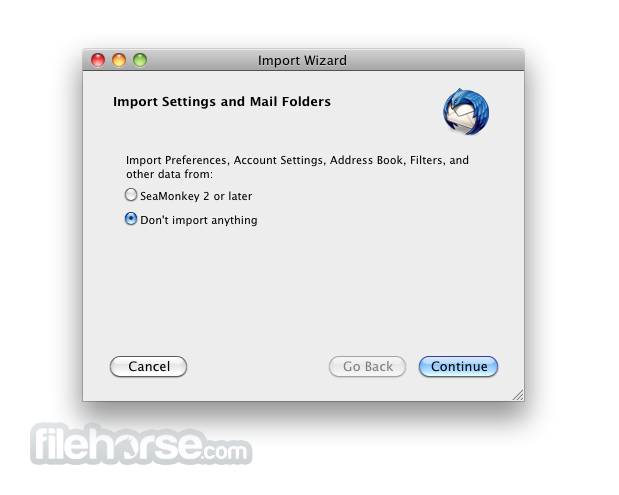
Thunderbird 150.0 Screenshots
The images below have been resized. Click on them to view the screenshots in full size.
-

-

-

-

What's new in this version:
New:
- 'Recent Destinations' in General Settings now supports alphabetical sorting
- Added support for generating Unobtrusive Signatures (OpenPGP)
- Message body search enabled for OpenPGP and S/MIME encrypted messages
- Account hub is opened on the first run of Thunderbird
- Address book cards can be copied to the clipboard as vCard
- Custom Accent Color can be chosen in Appearance Settings
- Calendar month/multiweek views are now scrollable with touch screen
- PDF pages can be reorganized directly in the PDF viewer
Changed:
- Flatpak beta app ID changed from org.mozilla.Thunderbird to org.mozilla.thunderbird
Fixed:
- Unknown command-line arguments passed to Thunderbird did not print warning
- Thunderbird could crash when creating a folder
- Saved email filenames were not not always cross-platform safe
- Compose progress dialog used unlocalised folder name
- Clicking on a folder in the folder pane did not always open folder
- Could not scroll to message bottom or view all attachments in some cases
- Accounts could be listed twice after adding account
- Account Hub manual configuration was missing OAuth2 option
- Microsoft Store installs did not open when clicking 's://' link or .eml file
- Folder states were not exposed to screen readers in saved search properties
- Mailbox name was not announced and message count was incorrect for screen readers
- POP3 could stop downloading mail until restart
- Exchange servers/clients caused memory leaks by holding mutual references
- Authentication could fail for some exchange accounts
- 'Move to Window' option for the calendar was disabled
- Calendar view had date and time axes swapped
- Visual and UX improvements
- Security fixes
 OperaOpera 134.0 Build 5954.26
 PhotoshopAdobe Photoshop CC 2026 27.8
 OKXOKX - Buy Bitcoin or Ethereum
 WPS OfficeWPS Office
 Adobe AcrobatAdobe Acrobat Pro 2026.001.21691
 CleamioCleamio 3.4.0
 MalwarebytesMalwarebytes 5.25.2
 TradingViewTradingView - Track All Markets
 CleanMyMacCleanMyMac X 5.2.10
 AdGuard VPNAdGuard VPN for Mac 2.9.0
Comments and User Reviews