




 Restream
 Filmora
 VideoPaw
 After Effects
 Amazon Prime
 CapCut
 Premiere Pro
 4K Video
-
Latest Version
-
Operating System
Mac OS X 10.8 or later
-
User Rating
Click to vote -
Author / Product
-
Filename
shotcut-macos-26.4.30.dmg
Sometimes latest versions of the software can cause issues when installed on older devices or devices running an older version of the operating system.
Software makers usually fix these issues but it can take them some time. What you can do in the meantime is to download and install an older version of Shotcut 26.4.30.
For those interested in downloading the most recent release of Shotcut for Mac or reading our review, simply click here.
All old versions distributed on our website are completely virus-free and available for download at no cost.
We would love to hear from you
If you have any questions or ideas that you want to share with us - head over to our Contact page and let us know. We value your feedback!
-
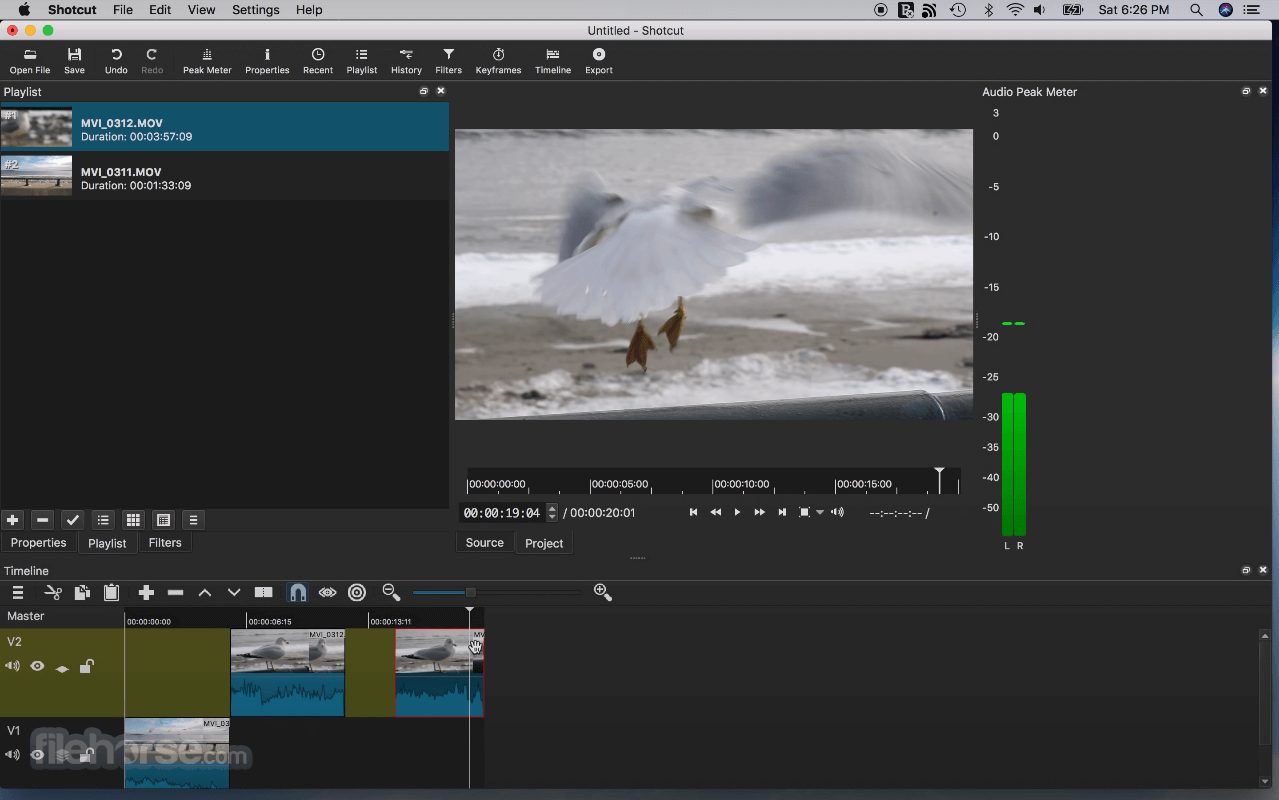
Shotcut 26.4.30 Screenshots
The images below have been resized. Click on them to view the screenshots in full size.

-
-

-

-

What's new in this version:
Changed:
Timeline Improvements:
- Added symmetric resize of a timeline transition using its trim handles
- Added drag-n-drop from Recent to Timeline
- Improved Timeline and Keyframes zoom to be less erratic and more focused
- Reduced memory usage for timeline waveforms
- Changed Timeline > Set Current Track Above and Set Current Track Below to use the bare Up and Down keys
Speech to Text:
- Added Vulkan GPU support to Speech to Text on Windows and Linux
- Added a Use GPU checkbox to the Speech to Text dialog
Other New Features:
- Added Export > Metadata including Cover art
- Added a Typewriter group of options to the Burn In Subtitle filter
- Added job progress and status on the taskbar or dock icon where supported
- Added Properties > LUT file for video clips, primarily for the Linear 10-bit processing mode
Added aspect ratio grid options to the player grid button:
- 1:1 Frame
- 16:9 Frame
- 4:3 Frame
- 9:16 Frame
- Added 10-bit VP9 MP4 (E-AC-3) and 10-bit VP9 WebM (Opus) export presets
- Added launching Glaxnimate from the Microsoft Store on Windows if available
Changed:
- Stopped bundling Glaxnimate except in the Linux Flatpak
- Changed audio transition to a constant power crossfade
- Changed multi-select for Subtitles to use the Shift key
- Changed Properties timeline duration to be editable
- Changed opening an image to not start playback
- Changed Export to default to 10-bit HEVC export in the 10-bit processing modes
- Changed Timeline > Record Audio to use FLAC instead of Opus for improved quality and tool compatibility
Reorganized the Video Mode menu with new categories:
- Social Media
- Other
- Legacy
- Reduced the thickness of the panel splitters and made them brighter
Fixed:
- intermittent audio waveform sync or blank waveforms (broke in v26.2)
- incorrect last frame in Glaxnimate animations
- Font style other than weight and italics/oblique in the font dialog
- accepting file names with special characters in Playlist > Add Files
- markers disappearing after undo moving clips
- hourly backup not working when saving frequently
- opening a project starts the player at the second frame
- seeking with keyboard in Timeline sometimes not working
- Settings > Time Format not immediately updating the Timeline and Keyframes rulers
- Timeline > Copy, Cut, Paste, and Overwrite breaking grouped clips
- keyframes after undoing a trim in
- changing Properties > Duration dropping time filters
- Edit Marker duration and Ripple Markers off by one frame
- the Nervous video filter doing a 2 frame fade-in from black
- undo history for lock, mute, and hide track
- button menus not opening reliably on Wayland on Linux
- a possible crash during voice preview in the Text to Speech dialog
Upgrades:
- Upgraded FFmpeg to version 8.1
- Upgraded x265 to version 4.1
- Upgraded whisper.cpp to version 1.8.3
- Upgraded MLT to version 7.38.0
- Upgraded Qt to version 6.10.3 on Linux
 OperaOpera 134.0 Build 5954.66
 PhotoshopAdobe Photoshop CC 2026 27.9.1
 OKXOKX - Buy Bitcoin or Ethereum
 WPS OfficeWPS Office
 Adobe AcrobatAdobe Acrobat Pro 2026.001.21789
 CleamioCleamio 3.4.0
 MalwarebytesMalwarebytes 5.25.2
 TradingViewTradingView - Track All Markets
 CleanMyMacCleanMyMac X 5.2.10
 AdGuard VPNAdGuard VPN for Mac 2.9.0
Comments and User Reviews