




 Command-Tab
 HomeDock OS
 DVD Burner
 Flip Clock
 DVDFab
 Logi Options+
 DVD-Cloner
 DAEMON
-
Latest Version
-
Operating System
macOS 26.0 Tahoe or later
-
User Rating
Click to vote -
Author / Product
-
Filename
LaunchBar-6.23.dmg
-
MD5 Checksum
aca9de0a1523c391bca991992aa2e135
Sometimes latest versions of the software can cause issues when installed on older devices or devices running an older version of the operating system.
Software makers usually fix these issues but it can take them some time. What you can do in the meantime is to download and install an older version of LaunchBar 6.23.
For those interested in downloading the most recent release of LaunchBar for Mac or reading our review, simply click here.
All old versions distributed on our website are completely virus-free and available for download at no cost.
We would love to hear from you
If you have any questions or ideas that you want to share with us - head over to our Contact page and let us know. We value your feedback!
-
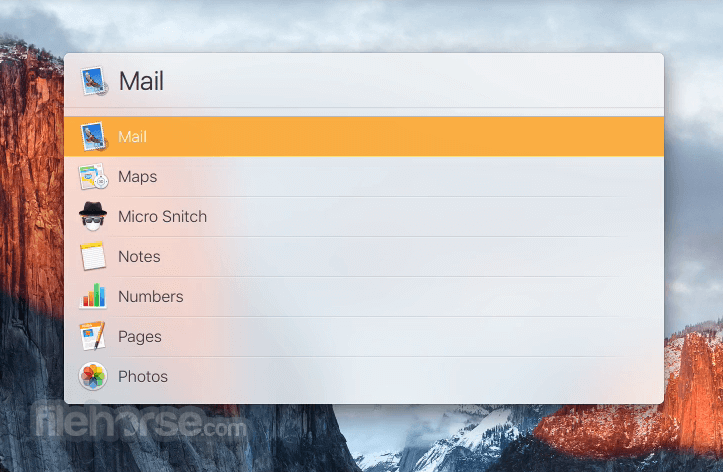
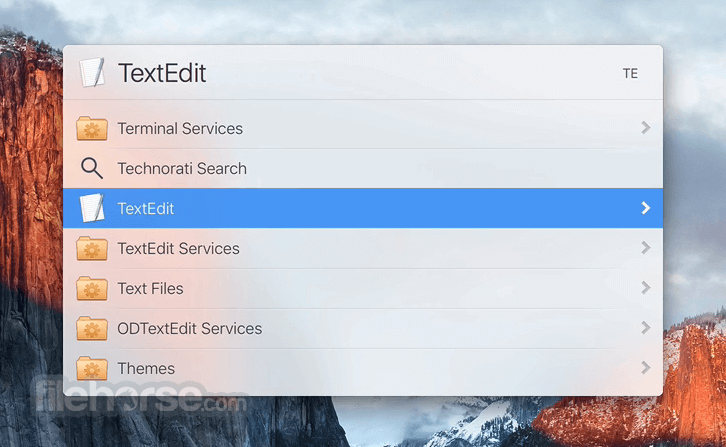
LaunchBar 6.23 Screenshots
The images below have been resized. Click on them to view the screenshots in full size.
-

-
-

-

What's new in this version:
New Features and Improvements:
- This release brings substantial improvements to VoiceOver support throughout LaunchBar. For details see the “Accessibility & VoiceOver” section below.
- Pasting a URL onto a web browser app that’s currently selected in LaunchBar now opens that URL directly in that browser
- Improved System Settings indexing to include the “Menu Bar” and “iCloud” panes, and to show the correct icon and name for the “Apple Intelligence & Siri” pane
- On macOS 26, menu icons have been added to the menu bar and to context menus of both LaunchBar and the Action Editor
- The menu icons are now larger and easier to read
- The icons in the menu bar of LaunchBar in macOS Tahoe can be hidden via the HideMenuIcons user default in the command line
- If a custom action returns a single item with alwaysShowsSubtitle set, the item list will be opened automatically
- Refined Default theme appearance
- Improved Music library indexing
- Improved performance of accessing an application’s recent documents
- “Previous Recipient” has been renamed to “Previous Email Recipient” for clarity
- The keyboard shortcut for the “Open” action in the action menu has changed from Return to Command-O, so that pressing Return while navigating the menu with arrow keys correctly selects the highlighted item rather than triggering Open
- Improved compatibility with the latest version of MindNode for accessing MindNode documents via LaunchBar
- Music items now consistently use the term “song” rather than “track”
- A new option in Settings > Advanced lets you specify the default sort order of folder contents when browsing folders with the Right-Arrow key
You can also enforce a certain sort order on the fly while browsing with modifier keys:
- Command-Right: Sort by Modification Date
- Shift-Command-Right: Sort by Date Added
- Option-Command-Right: Sort by Name
- Option-Shift-Command-Right: Sort by Name, folders on top
Accessibility & VoiceOver:
Descriptions & Item Types:
- Albums now include the album artist in their VoiceOver title
- Song descriptions now include the duration of the song
- Contacts and contact detail items have improved VoiceOver descriptions
- Birthday items have improved VoiceOver descriptions
- Folders without read permission are no longer wrongly described as “empty folder”
- Certain file types (web apps, services, framework header files) now have accurate type descriptions
- The “Computer” item now speaks the number of mounted volumes
- Containers now have more concise descriptions (the word “contains” has been dropped)
- Items whose contents can be browsed via Right-Arrow have an improved default VoiceOver content description
- Single-word text items now speak the number of characters
- Info Browsing items have improved VoiceOver descriptions
- “Hidden Folder Contents” and “Package Contents” now provide a VoiceOver title
- Added missing VoiceOver title for grouped document items
Navigation & Interaction:
- The VoiceOver-Space keyboard shortcut now opens LaunchBar’s action menu
- VoiceOver output updates dynamically when modifier keys are pressed or released, which is particularly useful during Send-to operations, where the available action (move/copy/make alias) changes based on which modifiers are held
- The Send-to target item now has an improved VoiceOver description
- Instant Info Browsing now works correctly when VoiceOver is enabled
- A confirmation alert is now shown before moving items to the Trash when VoiceOver is on
- The VoiceOver description for the “Clipboard History” action now suppresses the redundant “Action” suffix and speaks the number of items in the history
- Indexing rule items now have an improved VoiceOver title
- Preventing hotkey input fields in Setting window from incorrectly receiving keyboard focus via VoiceOver
- Improved VoiceOver output on Instant Send
- Improved accessibility of the Welcome and License windows
Fixed:
- Fixed an incompatibility with macOS 26.4 that caused the LaunchBar window to appear without a drop shadow
- Fixed the “Compress (ZIP Archive)” action, which failed out of the box due to missing permission to run third-party Automator actions
- Fixed intermittent Clipboard History and ClipMerge failures
- Fixed certain file types (.md, .patch) being incorrectly described as “Package”
- Fixed indexing rule subtitles to correctly show the number of visible items rather than all items
- Added missing localizations for Info Browsing labels and the German localization for the “Documents” suffix (e.g. “Numbers-Dokumente”)
 OperaOpera 134.0 Build 5954.56
 PhotoshopAdobe Photoshop CC 2026 27.9.1
 OKXOKX - Buy Bitcoin or Ethereum
 WPS OfficeWPS Office
 Adobe AcrobatAdobe Acrobat Pro 2026.001.21789
 CleamioCleamio 3.4.0
 MalwarebytesMalwarebytes 5.25.2
 TradingViewTradingView - Track All Markets
 CleanMyMacCleanMyMac X 5.2.10
 AdGuard VPNAdGuard VPN for Mac 2.9.0
Comments and User Reviews