




 CloudMounter
 Commander
 NTFS for Mac
 EaseUS Video
 AirRadar
 StreamFab
 Paragon ExtFS
 FileZilla
-
Latest Version
Cyberduck 9.5.0 LATEST
-
Review by
-
Operating System
Mac OS X 10.8 or later
-
User Rating
Click to vote -
Author / Product
-
Filename
Cyberduck-9.5.0.45237.zip
The outline view of the browser allows to browse large folder structures efficiently and you can quickly preview files with Quick Look.
To edit files, seamless integration with several external editors makes it easy to change content quickly. Both Amazon CloudFront and Cloud Files from Rackspace can be easily configured to distribute your content in the cloud.
Many macOS core system technologies such as Spotlight, Bonjour and the Keychain are supported and a large number of translations makes you feel at home.
Features and Highlights
Connecting to every server
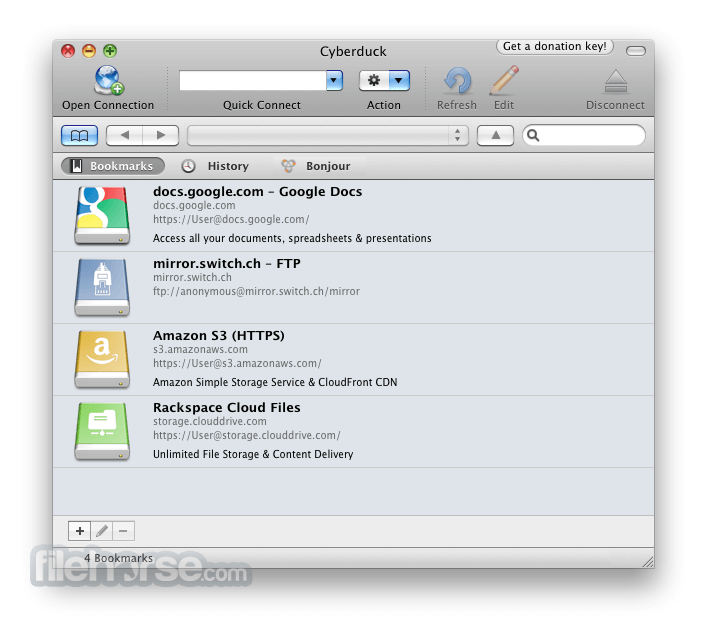
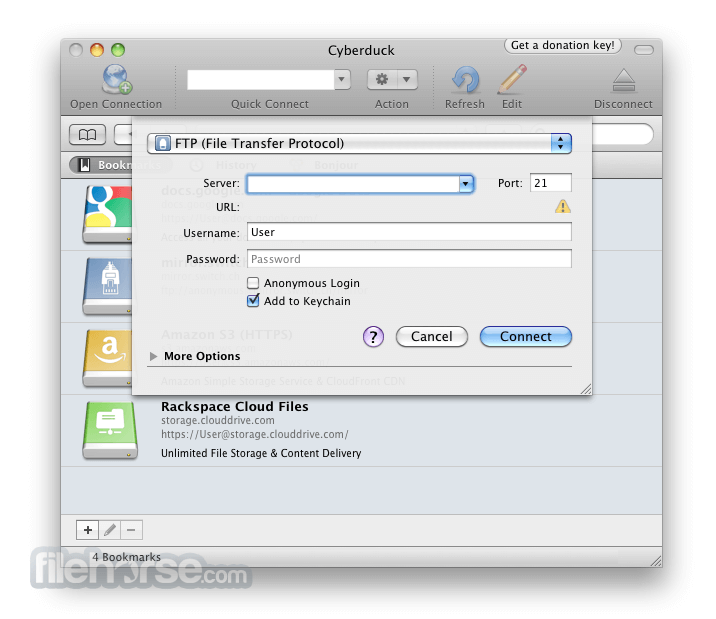
With an easy to use interface, connect to FTP (File Transfer Protocol), SFTP (SSH Secure File Transfer), WebDAV (Web-based Distributed Authoring and Versioning), Amazon S3, Google Cloud Storage, Windows Azure, Rackspace Cloud Files and even Google Docs.
Edit any file with your preferred editor
To edit files, seamless integration with any external editor application makes it easy to change content quickly. Edit any text or binary file on the server in your preferred application.
Distribute your content in the cloud
Both Amazon CloudFront and Akamai content delivery networks (CDN) can be easily configured to distribute your files worldwide from edge locations. Connect to any server using FTP, SFTP or WebDAV and configure it as the origin of a new Amazon CloudFront CDN distribution.
Amazon S3 for the rest of us
Browse Amazon Simple Storage Service like your harddisk. Supporting the latest and greatest additions to the S3 storage options. Define website endpoints, enable access logging, configure storage class, encryption and bucket location.
Manage your Google Docs
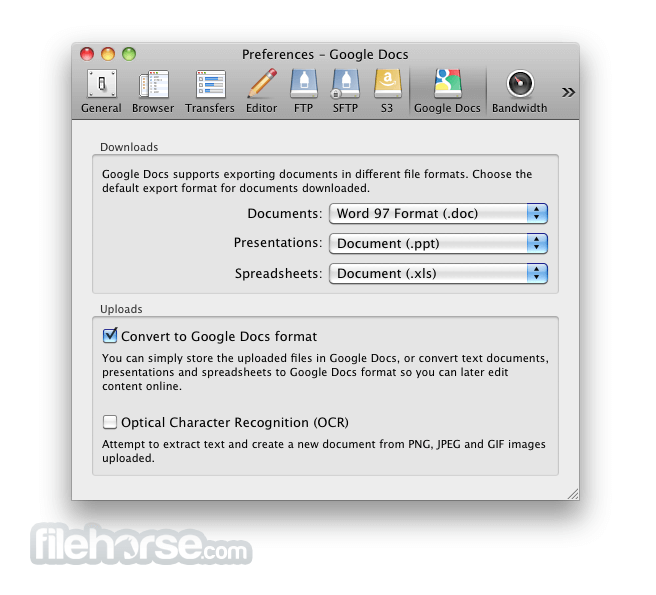
Convert uploads to Google Docs format and Optical Character Recognition (OCR) for image uploads. Define access control lists to share documents with other users using Google login credentials.
And many more (First class bookmarking, Browse with ease, Transfer anything, Advanced SSH features, Integration with system technologies).
PROS
- User-Friendly Interface – Simple and intuitive design.
- Supports Multiple Protocols – FTP, SFTP, WebDAV & more.
- Seamless Cloud Integration – Works with AWS, Google Drive.
- Free & Open Source – No cost with active community support.
- Bookmark & Transfer Queue – Easy file management tools.
- Slower Performance – Can lag with large transfers.
- Frequent Connection Drops – Stability issues at times.
- Limited Automation – No built-in scheduling feature.
- Annoying Donation Pop-ups – Requests for contributions.
- No Built-in File Editing – Requires external editors.
Also Available: Download Cyberduck for Windows
-
Cyberduck 9.5.0 Screenshots
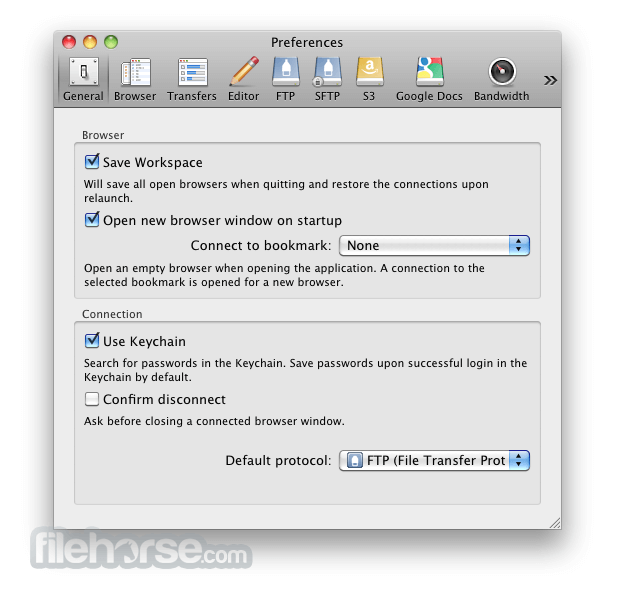
The images below have been resized. Click on them to view the screenshots in full size.
-
-
-
-

What's new in this version:
Feature:
- Support for Liquid Glass (macOS)
- AWS IAM Identity Center Support (S3)
- Connect with credentials from credential_process configuration directive in ~/.aws (S3)
- Add preference to include previous versions of files in browser (S3)
- Retrieve credentials from instance metadata using IMDSv2 (S3)
- Disable versioned listing by default (S3)
- Add option in Preferences to enable versioned listing (S3)
- Display file details for file transfers as popover (macOS)
- Display "Bookmark" window as popover (macOS)
- Hide controls for unavailable options in "Bookmark" window (macOS)
- Display labels of bookmarks in list view (macOS)
- Add "Connect" button in "Bookmark" window (macOS)
- Make available all configuration options in "Connection" window (macOS)
- Add "More Options" as tab in "Connection" and "Bookmark" windows (macOS)
- Add "Connect" and "Disconnect" items to "Go" menu (macOS)
- Only show navigation bar in list and outline view of "Browser" window (macOS)
- Display progress indicator in browser view (macOS)
- Display progress indicator in bookmark view (macOS)
- Index of connection profiles allows instant display in Preferences → Profiles
Bugfix:
- Error downloading file from unlocked vault (Cryptomator)
- No trailing delimiter for path style requests with bucket name only
- Repeating file transfer in vault fails after restart (Cryptomator)
- Do not write file header to placeholder files for folders (Cryptomator, Mega.nz S4)
- Remove /Default symbolic link (Sharepoint)
- Map all SSL failures to network error and await server response on control connection (FTP)
- Browser window does not show up in Exposé & Mission Control (macOS)
- Compare public key blob instead of comment when retrieving key from agent (SFTP)
- Support "Include" directive when reading from OpenSSH config (SFTP)
- Exclude trashed folders in list by default (Backblaze B2)
- Support "Match Host" and "Match User" directive in OpenSSH configuration (SFTP)
- Interoperability with IdentityAgent from 1Password (SFTP, Windows)
 OperaOpera 134.0 Build 5954.56
 PhotoshopAdobe Photoshop CC 2026 27.9.1
 OKXOKX - Buy Bitcoin or Ethereum
 WPS OfficeWPS Office
 Adobe AcrobatAdobe Acrobat Pro 2026.001.21789
 CleamioCleamio 3.4.0
 MalwarebytesMalwarebytes 5.25.2
 TradingViewTradingView - Track All Markets
 CleanMyMacCleanMyMac X 5.2.10
 AdGuard VPNAdGuard VPN for Mac 2.9.0
Comments and User Reviews