




 Firefox
 Brave
Brave Comet
Comet Chrome
 Opera GX
 Multilogin
 ChatGPT Atlas
-
Latest Version
Waterfox G6.7.0 LATEST
-
Review by
-
Operating System
Mac OS X 10.10 or later
-
User Rating
Click to vote -
Author / Product
-
Filename
Waterfox 6.7.0.dmg
To make Waterfox Current for macOS stand out from the crowd, it was compiled with many optimizations so that it will perform faster and more efficiently than simply compiling Firefox as a 64-Bit program. Download, Install or Update Waterfox for Mac!
Use this version of Waterfox Current if you want the latest and greatest the web has to offer, want to use all WebExtensions, and a few bootstrap extensions. Also, you can check the Waterfox Classic.
Now start up faster, tab hop quicker and scroll like a speed demon. The 100% fresh, free-range, ethical browser! The app doesn’t sell access to your personal information like other companies. In fact - it doesn't even collect any. From privacy tools to tracking protection, you’re in charge of who sees what.
Get more done
Now the browser for Mac is even faster – with quicker start ups and less hang time! That means windows and tabs load quicker for lightweight browsing that doesn’t hog your computer’s memory.
Get more privacy
To share or not share, that’s your call with the tool’s more powerful Private Browsing feature. It automatically blocks trackers and ads that collect your information without permission. The tool doesn’t sell access to your personal information like other companies. From privacy tools to tracking protection, you’re in charge of who sees what.
Get more freedom
Waterfox for macOS is more than just a browser. It fights to protect your online privacy and keeps corporate powers in check. Browse independently with this program!
More performance
"Bring it, Internet! We’ve spent the last year supercharging the tool's performance. Now start up faster, tab hop quicker and scroll like a speed demon."
Features and Highlights
- Your favorite add-ons and extensions. Classic add-on archive coming soon! - Adblock, Ublock, LastPass and thousands more.
- Customize your browser - Personalize twithe app h everything from themes to privacy tools.
- Browse faster - Start faster, tab hop quicker, get more done.
- Sync between devices - Get your tabs, logins and history on the go.
- Tabs that travel - View open tabs on any device.
- Waterfox for Android - The most customizable Waterfox for Android yet.
- Balanced memory usage - Browse smoothly and leave plenty of memory for your computer programs.
- Better bookmarks - Quickly save and organize your favorite sites.
- Ad tracker blocking - Water fox Private Browsing blocks ads with trackers.
- More powerful Private Browsing - More protection than Incognito mode or InPrivate.
- More private - it doesn't sell access to your online data. Period.
- No data collection - It has no need for your data, so you can browse freely.
- Password Manager - Forget the reset. Save passwords and logins quickly.
Built-in Tracking Protection – Blocks trackers by default for enhanced privacy.
Oblivious DNS – Hides website connections from your ISP for better anonymity.
Private Tabs – Browse privately without opening a separate private window.
Container Tabs – Organize browsing by separating work, shopping, and personal tabs with color-coded options.
Easy Switching – Import bookmarks, passwords, and settings from other browsers effortlessly.
No Data Collection – No telemetry; minimal data collection for updates and security only.
Alternatives
Opera: Feature-rich browser offering a built-in ad blocker, VPN, and unique tools for faster browsing.
Chrome: The fast, free browser that`s built for the modern web
Firefox: Fast and customizable browser with a strong focus on privacy and security.
Safari: It is the default browser on macOS and iOS devices.
Edge: A modern and efficient browser with excellent compatibility and integrated Microsoft services.
Brave: Privacy-focused browser that blocks ads and trackers by default, ensuring a faster and more secure browsing experience.
PROS
- Privacy-Focused & No Telemetry
- Supports Legacy Firefox Add-ons
- Fast and Lightweight Performance
- Cross-Platform Syncing Available
- Open-Source and Customizable
- Updates Are Less Frequent
- Some Compatibility Issues
- Uses More RAM Than Expected
- Lacks Dedicated Support Team
- Not as Secure as Mainstream Browsers
Also Available: Download Waterfox for Windows
-
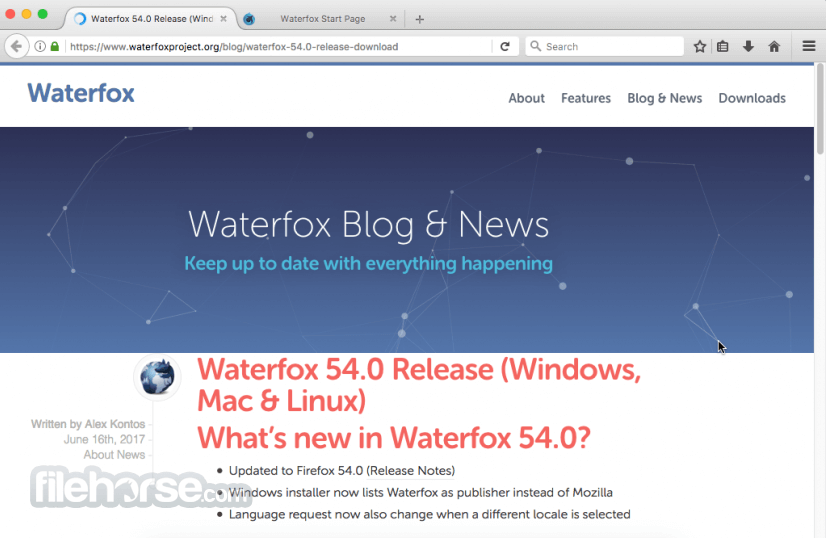
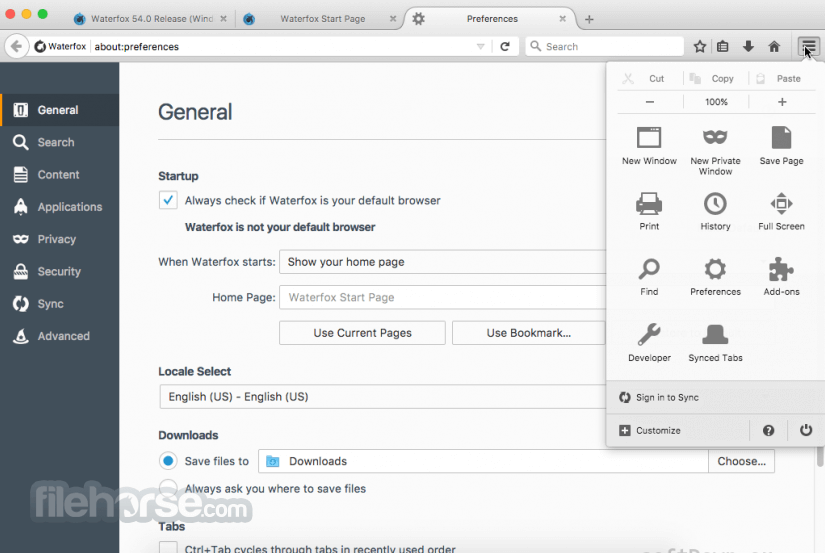
Waterfox G6.7.0 Screenshots
The images below have been resized. Click on them to view the screenshots in full size.
-

-
-

What's new in this version:
- Waterfox 6.7 has moved to the ESR 153 platform and now features native tree tabs, the Nova style, and twelve colour palettes. It also boasts a rebuilt ad blocker panel, legacy extension support, a new setup flow, and update controls that finally deliver on their promises.
- Waterfox 6.7 upgrades from Gecko ESR 140 to Gecko ESR 153. This release incorporates a year’s worth of upstream engine, performance, and security improvements, and most of the Waterfox layer has been rebuilt to run natively on the new platform rather than being added to it.
- If you have been following the beta series, a summary can be found below. Everything else below details what has changed since version 6.6.
Nova and the Colour System:
- The browser style can now be chosen from three options. Nova is a new, sharper Waterfox style with a brighter active tab line. Proton is a modern, standard design. Photon offers the classic Waterfox look with Lepton chrome refinements. New installations start with Nova. If you are upgrading, a one-time dialogue box will let you either keep your current style or switch to a different one; nothing will change until you make a choice.
- The old accent colour setting, which offered three options, has been replaced with twelve palettes. These range from Smoke and Ash to Sun, Spark, Flame, Lavender, Lagoon and Pine. Each palette has light and dark variants that can be matched to your system theme. These palettes also apply to built-in pages, meaning that Settings and other internal pages will use your chosen colours.
- Try them for yourself - pick a palette, in light or dark
- Headings across the interface now use Archivo, a bundled brand font, meaning the browser will read consistently, regardless of the fonts installed locally.
- The long list of small tweaks in the Look and Feel pane is no longer in Settings. Seven options remain for Photon: transparency, auto-hide options, a close button on hover and a drag space. The rest still work for Photon via about:config. Please file a bug report for any toggle you rely on.
Tree Tabs:
- Waterfox 6.6 shipped tree-style tabs as a bundled extension - a fork of Tree Style Tab residing in its own sidebar panel. In version 6.7, tree tabs are integrated into the browser and built directly into the vertical tab strip.
- Tree tabs share code with vertical tabs, tab groups, the sidebar customisation panel and themes, meaning all four stay in sync
- The tree structure is saved through the browser’s own session store. Existing trees and settings migrate on upgrade.
- How far you drag a tab horizontally determines its nesting depth, and the whole subtree of a tab moves with it, including across windows
- Settings under ‘Tabs and Browsing’ cover how new tabs attach, what happens when you close a parent, double-click behaviour, branch auto-collapse, mute propagation and nesting depth.
- The native implementation is leaner than the old extension. It requires vertical tabs, whereas the old sidebar could sit next to a horizontal tab bar. A few extras did not carry over, including the large set of keyboard commands, the custom CSS editor and the API that other extensions could hook into. File a bug report if you relied on one of these features.
Ad Blocking:
- The built-in blocker, which has been included since version 6.6, now has its own panel in the Settings menu
- The panel now opens to show the status hero, which tells you at a glance whether protection is active, paused, in partner mode or off for this site. Below this, there are separate counts for ads, trackers and pop-ups with proportional bars, so you can see what a site was actually doing rather than just a single figure. The “see all” view lists everything that was blocked on the page, and the footer displays a running total. When protection is paused for a site, a badge appears on the toolbar button, so a paused site is obvious without opening the panel.
Beyond the panel:
- Ad blocking has moved to its own settings pane, separate from Privacy and Security. Filter lists, custom filters, custom lists and exceptions are all in one place.
- Anti-adblock and annoyance scriptlets are injected before page scripts run, fixing sites that previously overcame the blocker. Redirect resources - the blank media and neutered scripts used as stand-ins for blocked requests - grow from 17 to 62, meaning fewer blocked requests will break the page.
- Exceptions now have types, so you can allow a site broadly or narrowly. Additionally, exceptions added in a private window will only last for the session.
- Filter list storage is more robust: downloads are size-capped and redirects are refused, cache writes are atomic and bundled lists recover cleanly after a failed update.
- The blocking engine has been updated to adblock-rust 0.13.2.
Legacy Extensions:
- Version 6.7 improved legacy add-on support in stages throughout the beta series, with full support included in this release. Waterfox reads ‘install.rdf’ manifests, runs ‘bootstrap.js’, honours ‘chrome.manifest’ overlay entries and supports add-ons that require a restart, as well as those that don’t. Legacy add-ons appear in ‘about:addons’ alongside everything else.
- The way preferences are handled has been reworked so that disabling or uninstalling a legacy add-on no longer affects your existing settings, the browser’s defaults or any locked preferences.
- Waterfox can also install system add-ons without a Mozilla signature. Extensions that use native messaging will find companion app manifests installed for Firefox on macOS and Linux. This means that password manager connectors and similar tools work without the need for anything to be reinstalled.
Setup and Upgrade:
- The first-run onboarding has been redesigned as a single page rather than a series of modal cards. It now runs in five steps: language selection; importing data from another browser; customising the appearance (browser style, density, light or dark theme, accent colour); configuring the tab layout and strip position; and accessing the privacy settings. It is fully localised, unlike earlier versions which were English-only. The old screens recommending extensions and displaying an Android QR code have been removed.
- The Firefox profile migrator has been rewritten to bring over bookmarks, history, form data, cookies and passwords.
- When upgrading from version 6.6, a major upgrade dialogue appears that walks you through the changes to appearance, tabs, ad blocking, search, the default browser and privacy settings. This means that the changes in this release are opt-in rather than being forced upon you. Existing settings are left alone unless you choose otherwise.
Updates:
In the ‘Settings’ menu, the ‘About Waterfox’ option now offers three clear choices:
- Automatically download updates and install them after restarting
- Check for updates and prompt for download
- Do not check automatically, but leave manual checks available
- ‘Check for updates’ now only checks. Previously, an update would be downloaded in the background, which was not what the button said it would do
- The Waterfox ‘About’ window has also been redesigned
Search:
- The line-up of search engines remains unchanged: 1.org, Bing, DuckDuckGo, Ecosia, Google, Mojeek, Qwant and Waterfox Private Search. The default search engine changes from 1.org to Qwant in supported regions and to DuckDuckGo elsewhere. Qwant is used as the fallback when the region is unknown. If you selected a search engine yourself, your choice remains unchanged.
- As Qwant is a search partner, the built-in blocker allows ads on qwant.com by default. You can turn this feature off in the Ad Blocking pane.
Security and Privacy:
- Certificate revocation data (OneCRL and CRLite), as well as the add-on blocklist, are updated over the network again. 6.6 froze these at build time, along with everything else. Version 6.7 only syncs the security-relevant collections and stores the rest in offline bundles.
- Ultra Protection, our DNS over Oblivious HTTP setup, is enabled by default for new profiles and includes settings controls, such as a fallback policy option. The DNS provider cannot link lookups back to you.
- Translation models download on demand, so page translation is no longer limited to the pairs bundled at build time
- 6.6 partially disabled Safe Browsing. Version 6.7 disables it fully, meaning that no Google Safe Browsing endpoints are contacted.
- Nimbus experiments are permanently disabled and Normandy is completely removed from the build, rather than merely being switched off
- The AI features introduced with the Firefox 153 platform, including the chat sidebar and its shortcuts, are disabled by default
- The address bar trust panel is included, with external breach data lookups disabled
- Speculative connections are stopped before navigation is committed
- Cookie exception control is available directly from the identity pop-up
- Windows binaries signed for Waterfox are now trusted by the browser itself
Settings:
- Version 6.7 adopts the redesigned Settings, with the Waterfox panes built natively on top of them rather than being injected through overlays. The appearance controls, including the status bar toggles, are found under ‘Appearance’. The position of the tab bar and bookmarks toolbar, plus the extras in the tab context menu, are found under ‘Tabs and Browsing’. Ad blocking has its own pane and updates have their own controls under ‘About Waterfox’. Settings that exist only in Waterfox carry a ‘Waterfox Exclusive’ badge and each group links to the relevant support article.
- The New Tab URL can be configured, automatic tab grouping has settings controls for toggling and placement, and there is a new option to keep the browser window open when the last tab is closed.
- Some controls from version 6.6 have yet to be made accessible from the UI: the WebRTC peer connection toggle, the referrer header policy menu and the ‘Load images’ and ‘Enable JavaScript’ checkboxes. The preferences can still be accessed via about:config and will come in a future update.
Other Changes:
- ARM64 builds are available for Windows and Linux
- The Zoom controls are located on the status bar by default. If enabled, under Nova, the status bar transforms into a floating pill that matches the rest of the chrome.
- A restart command with the option to purge the cache on restart
- Support for libtheora decoding and JPEG XL in the downloads list
- Hardware acceleration is enabled under VMware on Windows
- The disk cache’s in-memory layer grows with available RAM instead of stopping at a fixed ceiling
- The macOS download is a redesigned installer image that is fully signed and notarised
- The bundled emoji font has been updated to Twemoji 17.0.2
- The New Tab page now shows the search box by default
- Automatic tab grouping is now off by default, whereas it was on in version 6.6
- Mozilla feedback entry points have been removed from the Help menu
Removed in 6.7:
- It is no longer possible to install extensions directly from the Chrome Web Store or Opera Add-ons. The compatibility shim that converted those packages was not transferred to the new platform. In truth, this was technically only ever supported: the shim could install a .crx package. However, Chrome and Firefox WebExtensions have diverged so much that bridging the gap would require significant work. I would be surprised if many easily accessible Chrome extensions still worked in practice. Please file a bug report if you relied on this.
- This does not mean that this feature has been completely abandoned. Rather, the time and effort required has meant that it has been a lower priority, especially given the limitations that Chromium-based browser extensions face compared to Gecko-based ones.
Since beta 3:
For anyone who has been running the beta version, here is everything that has changed since:
- The ad blocker panel has been redesigned to include the status hero, per-category counts and the blocked list view
- The update mode controls have been added and the ‘Check for updates’ function has been stopped from downloading in the background
- The first-run setup has been rebuilt as a standalone page and the major upgrade dialog has been expanded
- A close button has been added to the About Waterfox window
- The Archivo brand font has been added for headings and the vendored Lepton theme has been refreshed
- The option to keep the window open when closing the last tab has been added, along with support links throughout Settings
- The sidebar launcher is now visible by default on new profiles
- The global menu bar is no longer forced on in Wayland sessions that do not support it. Beta 3 enabled it unconditionally there, which was incorrect.
- Fixed legacy add-ons wiping user preferences, defaults or preference locks when disabled or uninstalled
- Adblock-rust was updated to version 0.13.2 and jxl-rs to version 0.5.1, and the project was rebased onto a newer ESR 153 base
 OperaOpera 134.0 Build 5954.66
 PhotoshopAdobe Photoshop CC 2026 27.9.1
 OKXOKX - Buy Bitcoin or Ethereum
 WPS OfficeWPS Office
 Adobe AcrobatAdobe Acrobat Pro 2026.001.21789
 CleamioCleamio 3.4.0
 MalwarebytesMalwarebytes 5.25.2
 TradingViewTradingView - Track All Markets
 CleanMyMacCleanMyMac X 5.2.10
 AdGuard VPNAdGuard VPN for Mac 2.10.0
Comments and User Reviews