




 Opera GX
 Multilogin
 Brave
Brave Comet
Comet ChatGPT Atlas
 Chrome
 Firefox
-
Latest Version
Waterfox G6.6.17 LATEST
-
Review by
-
Operating System
Mac OS X 10.10 or later
-
User Rating
Click to vote -
Author / Product
-
Filename
Waterfox 6.6.17.dmg
To make Waterfox Current for macOS stand out from the crowd, it was compiled with many optimizations so that it will perform faster and more efficiently than simply compiling Firefox as a 64-Bit program. Download, Install or Update Waterfox for Mac!
Use this version of Waterfox Current if you want the latest and greatest the web has to offer, want to use all WebExtensions, and a few bootstrap extensions. Also, you can check the Waterfox Classic.
Now start up faster, tab hop quicker and scroll like a speed demon. The 100% fresh, free-range, ethical browser! The app doesn’t sell access to your personal information like other companies. In fact - it doesn't even collect any. From privacy tools to tracking protection, you’re in charge of who sees what.
Get more done
Now the browser for Mac is even faster – with quicker start ups and less hang time! That means windows and tabs load quicker for lightweight browsing that doesn’t hog your computer’s memory.
Get more privacy
To share or not share, that’s your call with the tool’s more powerful Private Browsing feature. It automatically blocks trackers and ads that collect your information without permission. The tool doesn’t sell access to your personal information like other companies. From privacy tools to tracking protection, you’re in charge of who sees what.
Get more freedom
Waterfox for macOS is more than just a browser. It fights to protect your online privacy and keeps corporate powers in check. Browse independently with this program!
More performance
"Bring it, Internet! We’ve spent the last year supercharging the tool's performance. Now start up faster, tab hop quicker and scroll like a speed demon."
Features and Highlights
- Your favorite add-ons and extensions. Classic add-on archive coming soon! - Adblock, Ublock, LastPass and thousands more.
- Customize your browser - Personalize twithe app h everything from themes to privacy tools.
- Browse faster - Start faster, tab hop quicker, get more done.
- Sync between devices - Get your tabs, logins and history on the go.
- Tabs that travel - View open tabs on any device.
- Waterfox for Android - The most customizable Waterfox for Android yet.
- Balanced memory usage - Browse smoothly and leave plenty of memory for your computer programs.
- Better bookmarks - Quickly save and organize your favorite sites.
- Ad tracker blocking - Water fox Private Browsing blocks ads with trackers.
- More powerful Private Browsing - More protection than Incognito mode or InPrivate.
- More private - it doesn't sell access to your online data. Period.
- No data collection - It has no need for your data, so you can browse freely.
- Password Manager - Forget the reset. Save passwords and logins quickly.
Built-in Tracking Protection – Blocks trackers by default for enhanced privacy.
Oblivious DNS – Hides website connections from your ISP for better anonymity.
Private Tabs – Browse privately without opening a separate private window.
Container Tabs – Organize browsing by separating work, shopping, and personal tabs with color-coded options.
Easy Switching – Import bookmarks, passwords, and settings from other browsers effortlessly.
No Data Collection – No telemetry; minimal data collection for updates and security only.
Alternatives
Opera: Feature-rich browser offering a built-in ad blocker, VPN, and unique tools for faster browsing.
Chrome: The fast, free browser that`s built for the modern web
Firefox: Fast and customizable browser with a strong focus on privacy and security.
Safari: It is the default browser on macOS and iOS devices.
Edge: A modern and efficient browser with excellent compatibility and integrated Microsoft services.
Brave: Privacy-focused browser that blocks ads and trackers by default, ensuring a faster and more secure browsing experience.
PROS
- Privacy-Focused & No Telemetry
- Supports Legacy Firefox Add-ons
- Fast and Lightweight Performance
- Cross-Platform Syncing Available
- Open-Source and Customizable
- Updates Are Less Frequent
- Some Compatibility Issues
- Uses More RAM Than Expected
- Lacks Dedicated Support Team
- Not as Secure as Mainstream Browsers
Also Available: Download Waterfox for Windows
-
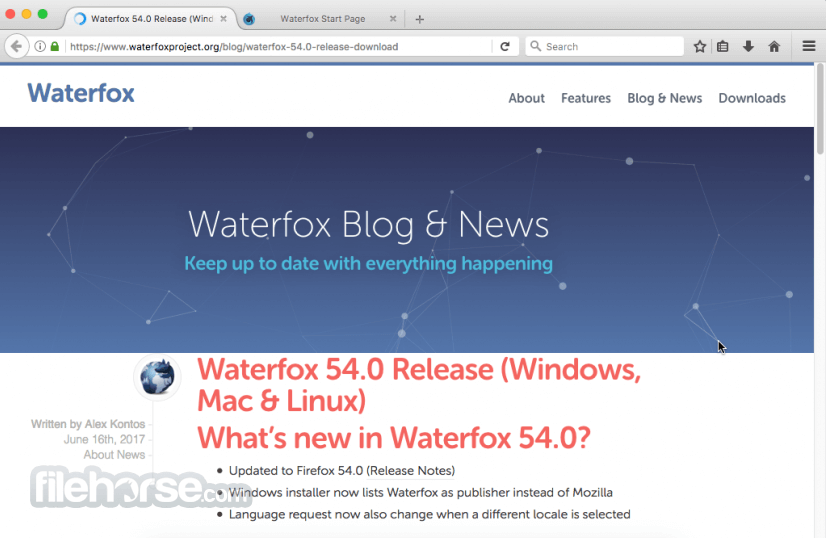
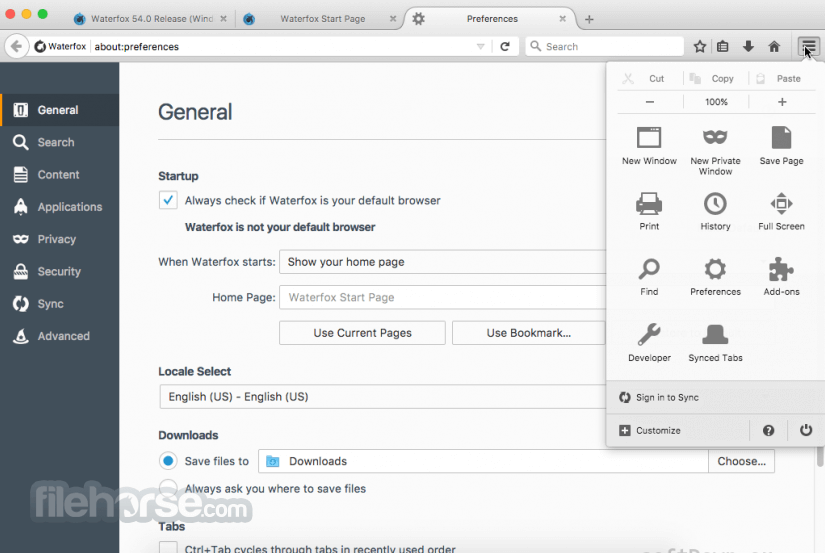
Waterfox G6.6.17 Screenshots
The images below have been resized. Click on them to view the screenshots in full size.
-

-
-

What's new in this version:
Changed:
Updated the country based search configuration:
- Qwant is used in supported regions
- DuckDuckGo is used elsewhere
- Qwant remains the fallback while the region is unknown
- Migrated users from the former 1.org default, and from other defaults selected automatically by previous configurations, to the appropriate regional default. 1.org is still available as an option, but due to a bug there was no way to separate users who selected 1.org as the default, vs those who have just been following the default.
- Removed obsolete search overrides that could interfere with regional defaults or suppress Waterfox search attribution parameters. Built-in content blocker conflict handling remains unchanged.
- Stopped forcing the experimental HTTP Idempotency-Key header on POST requests
Privacy:
-Search suggestion requests that would otherwise go to Google are now proxied through Waterfox Private Search. This prevents a direct connection between your browser and Google, keeping your IP address and request metadata from being sent to Google directly.
Fixed:
- (Attempted) Fixed Chase website compatibility when Waterfox's built-in content blocker is enabled
 OperaOpera 134.0 Build 5954.56
 PhotoshopAdobe Photoshop CC 2026 27.9.1
 OKXOKX - Buy Bitcoin or Ethereum
 WPS OfficeWPS Office
 Adobe AcrobatAdobe Acrobat Pro 2026.001.21789
 CleamioCleamio 3.4.0
 MalwarebytesMalwarebytes 5.25.2
 TradingViewTradingView - Track All Markets
 CleanMyMacCleanMyMac X 5.2.10
 AdGuard VPNAdGuard VPN for Mac 2.9.0
Comments and User Reviews