




 Access
 Antigravity
 Portfolio
 Dreamweaver
 Docker
 Parallels
 Visual Studio
 UltraEdit
-
Latest Version
PostgreSQL 18.4 LATEST
-
Review by
-
Operating System
macOS 10.13 High Sierra or later
-
User Rating
Click to vote -
Author / Product
-
Filename
postgresql-18.4-1-osx.dmg
PostgreSQL for Mac is a powerful, open source object-relational database system. It has more than 15 years of active development and a proven architecture that has earned it a strong reputation for reliability, data integrity, and correctness.
It runs on all major operating systems, including Linux, UNIX (AIX, BSD, HP-UX, SGI IRIX, Mac OS X, Solaris, Tru64), and Windows. PostgreSQL for macOS is the default database on Mac OS X Server as of version 10.7.
It is fully ACID compliant, has full support for foreign keys, joins, views, triggers, and stored procedures (in multiple languages). It includes most SQL:2008 data types, including INTEGER, NUMERIC, BOOLEAN, CHAR, VARCHAR, DATE, INTERVAL, and TIMESTAMP.
It also supports storage of binary large objects, including pictures, sounds, or video. It has native programming interfaces for C/C++, Java, .Net, Perl, Python, Ruby, Tcl, ODBC, among others, and exceptional documentation (table sizes can go up to 32 TB).
Features and Highlights
Data Types
Run the installer package and follow prompts
Use pgAdmin or Terminal to manage databases
Start the PostgreSQL server via System Preferences
Connect using psql or third-party tools
Create databases and roles as needed
Manage schema using SQL commands
Backup and restore using pg_dump and pg_restore
Secure your setup with user roles and permissions
Update PostgreSQL via Homebrew or official site
System Requirements
It runs on all major operating systems, including Linux, UNIX (AIX, BSD, HP-UX, SGI IRIX, Mac OS X, Solaris, Tru64), and Windows. PostgreSQL for macOS is the default database on Mac OS X Server as of version 10.7.
It is fully ACID compliant, has full support for foreign keys, joins, views, triggers, and stored procedures (in multiple languages). It includes most SQL:2008 data types, including INTEGER, NUMERIC, BOOLEAN, CHAR, VARCHAR, DATE, INTERVAL, and TIMESTAMP.
It also supports storage of binary large objects, including pictures, sounds, or video. It has native programming interfaces for C/C++, Java, .Net, Perl, Python, Ruby, Tcl, ODBC, among others, and exceptional documentation (table sizes can go up to 32 TB).
Features and Highlights
Data Types
- Primitives: Integer, Numeric, String, Boolean
- Structured: Date/Time, Array, Range, UUID
- Document: JSON/JSONB, XML, Key-value (Hstore)
- Geometry: Point, Line, Circle, Polygon
- Customizations: Composite, Custom Types
- UNIQUE, NOT NULL
- Primary Keys
- Foreign Keys
- Exclusion Constraints
- Explicit Locks, Advisory Locks
- Indexing: B-tree, Multicolumn, Expressions, Partial
- Advanced Indexing: GiST, SP-Gist, KNN Gist, GIN, BRIN, Covering indexes, Bloom filters
- Sophisticated query planner/optimizer, index-only scans, multicolumn statistics
- Transactions, Nested Transactions (via savepoints)
- Multi-Version Concurrency Control (MVCC)
- Parallelization of reading queries and building B-tree indexes
- Table partitioning
- All transaction isolation levels defined in the SQL standard, including Serializable
- Just-in-time (JIT) compilation of expressions
- Write-ahead Logging (WAL)
- Replication: Asynchronous, Synchronous, Logical
- Point-in-time-recovery (PITR), active standbys
- Tablespaces
- Authentication: GSSAPI, SSPI, LDAP, SCRAM-SHA-256, Certificate, and more
- Robust access-control system
- Column and row-level security
- Stored functions and procedures
- Procedural Languages: PL/PGSQL, Perl, Python (and many more)
- Foreign data wrappers: connect to other databases or streams with a standard SQL interface
- Many extensions that provide additional functionality, including PostGIS
- Support for international character sets, e.g. through ICU collations
- Full-text search
Run the installer package and follow prompts
Use pgAdmin or Terminal to manage databases
Start the PostgreSQL server via System Preferences
Connect using psql or third-party tools
Create databases and roles as needed
Manage schema using SQL commands
Backup and restore using pg_dump and pg_restore
Secure your setup with user roles and permissions
Update PostgreSQL via Homebrew or official site
System Requirements
- macOS 10.12 or later
- 64-bit Intel or Apple Silicon processor
- Minimum 2 GB RAM
- At least 150 MB free disk space
- Administrator privileges for installation
- Powerful open-source relational database
- Full SQL compliance and advanced features
- Cross-platform and highly extensible
- Excellent performance and scalability
- Strong security and role management
- GUI tools not included by default
- Resource heavy for simple projects
- Fewer visual design tools than rivals
- Manual tuning needed for best speed
Why is this app published on FileHorse? (More info)
-
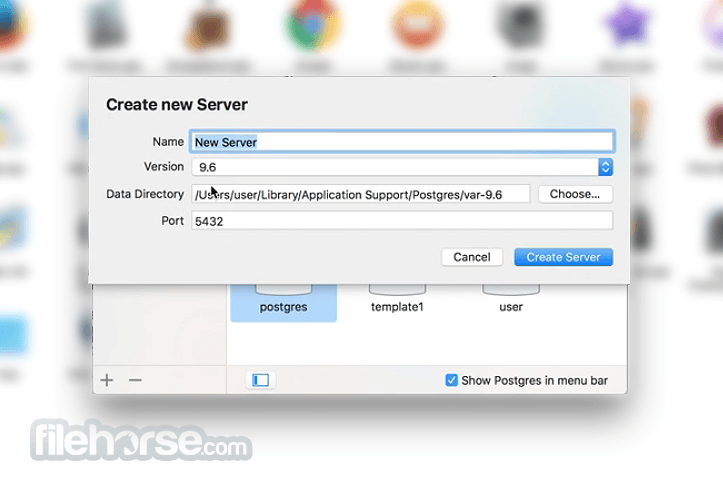
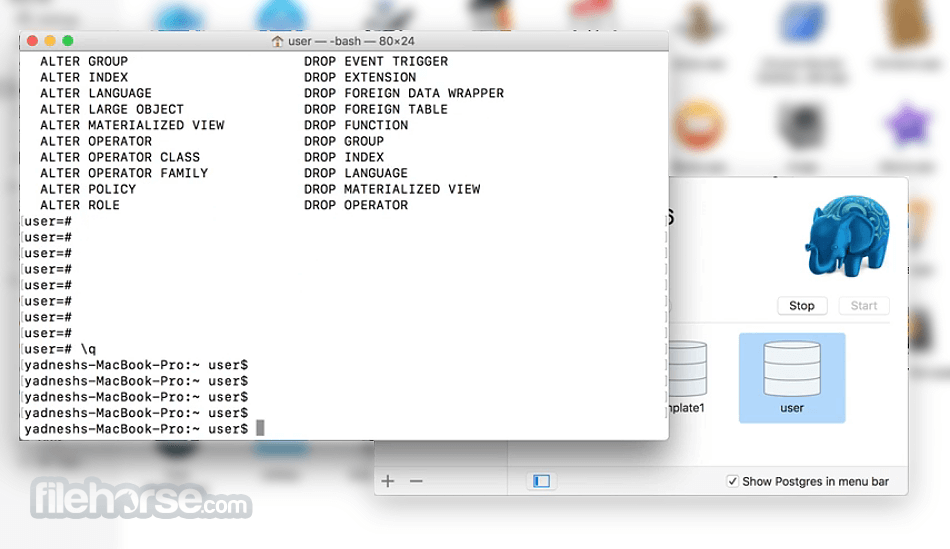
PostgreSQL 18.4 Screenshots
The images below have been resized. Click on them to view the screenshots in full size.

-
-
 OperaOpera 134.0 Build 5954.26
 PhotoshopAdobe Photoshop CC 2026 27.8
 OKXOKX - Buy Bitcoin or Ethereum
 WPS OfficeWPS Office
 Adobe AcrobatAdobe Acrobat Pro 2026.001.21771
 CleamioCleamio 3.4.0
 MalwarebytesMalwarebytes 5.25.2
 TradingViewTradingView - Track All Markets
 CleanMyMacCleanMyMac X 5.2.10
 AdGuard VPNAdGuard VPN for Mac 2.9.0
Comments and User Reviews