




 Adobe Sign
 PDFelement
 Trade Ideas
 Swift
Swift Tungsten PDF
-
Latest Version
LibreOffice 26.8.0 LATEST
-
Review by
-
Operating System
macOS 11.0 Big Sur or later
-
User Rating
Click to vote -
Author / Product
-
Filename
LibreOffice_26.8.0_MacOS_aarch64.dmg
-
MD5 Checksum
89a74b4274037545c6cd1034c6db3d04
LibreOffice embeds several applications that make it the most powerful Free & Open Source Office suite on the market: Writer, the word processor, Calc, the spreadsheet application, Impress, the presentation engine, Draw, drawing and flowcharting application, Base, database and database frontend, and Math for editing mathematics.
Your documents will look professional and clean, regardless of their purpose: a letter, a master thesis, a brochure, financial reports, marketing presentations, technical drawings and diagrams. Download, Install or Update Libre Office for Mac!
LibreOffice for macOS is compatible with many document formats such as Microsoft® Word, Excel, PowerPoint and Publisher.
But the app goes further by enabling you to use a modern open standard, the OpenDocument Format (ODF). Beyond the many features shipped by default, the tool is easily extensible through its powerful extensions mechanisms.
What`s New
- Improved compatibility with Microsoft Office file formats (DOCX, XLSX, PPTX).
- Enhanced performance when opening large documents and spreadsheets.
- Refined user interface with updated icons and theme improvements.
- Writer updates with better comment handling and change tracking.
- Calc improvements including new functions and faster recalculation.
- Impress enhancements with smoother slide transitions and export options.
- Improved PDF export with added security and accessibility options.
- Stronger interoperability with modern OpenDocument (ODF) standards.
- Better spell-checking and language support updates.
- Bug fixes and stability improvements across all modules.
Writer is the word processor inside the app. Use it for everything, from dashing off a quick letter to producing an entire book with tables of contents, embedded illustrations, bibliographies and diagrams. The while-you-type auto-completion, auto-formatting and automatic spelling checking make difficult tasks easy (but are easy to disable if you prefer).
Calc tames your numbers and helps with difficult decisions when you're weighing the alternatives. Analyze your data with Calc and then use it to present your final output. Charts and analysis tools help bring transparency to your conclusions. A fully-integrated help system makes easier work of entering complex formulas. Add data from external databases such as SQL or Oracle, then sort and filter them to produce statistical analyses.
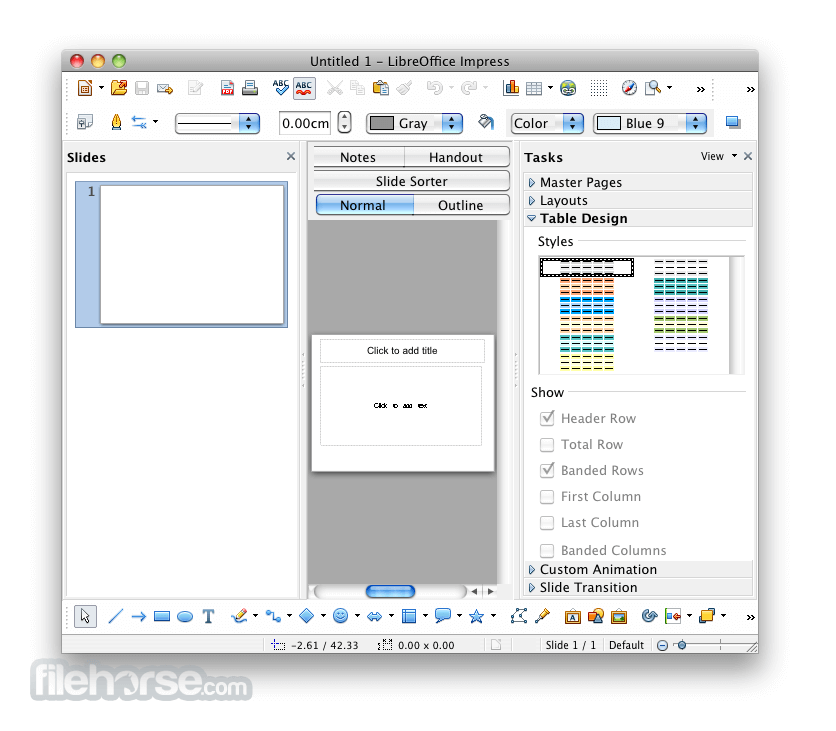
Impress is the fastest and easiest way to create effective multimedia presentations. Stunning animation and sensational special effects help you convince your audience. Create presentations that look even more professional than the standard presentations you commonly see at work. Get your colleagues' and bosses' attention by creating something a little bit different.
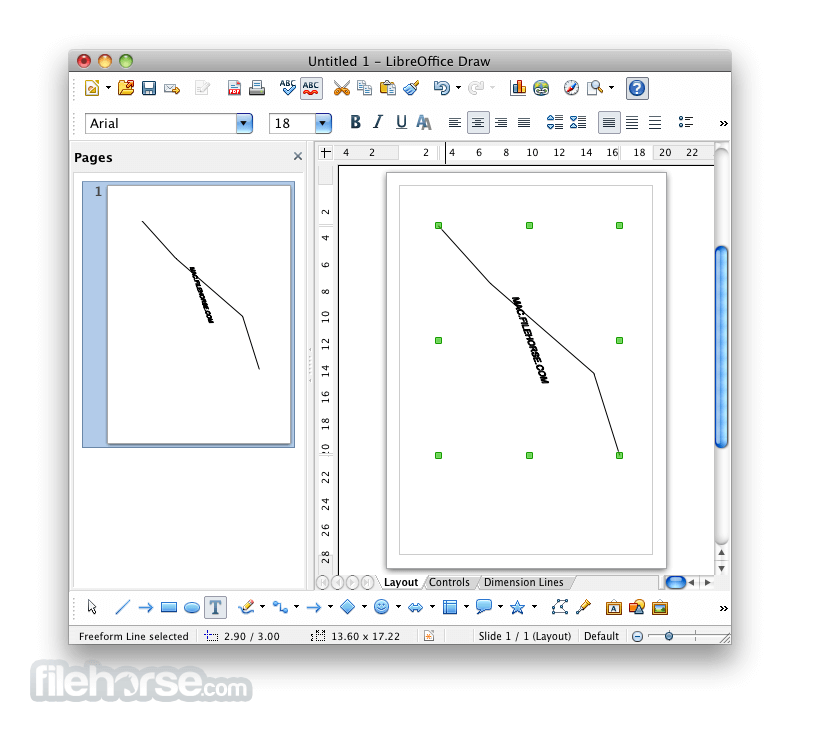
Draw lets you build diagrams and sketches from scratch. A picture is worth a thousand words, so why not try something simple with box and line diagrams? Or else go further and easily build dynamic 3D illustrations and special effects. It's as simple or as powerful as you want it to be.
Base is the database front-end of the suite. With Base, you can seamlessly integrate your existing database structures into the other components of Libre Office, or create an interface to use and administer your data as a stand-alone application. You can use imported and linked tables and queries from MySQL, PostgreSQL or Microsoft Access and many other data sources, or design your own with Base.
Math is a simple equation editor that lets you lay-out and display your mathematical, chemical, electrical or scientific equations quickly in standard written notation. Even the most-complex calculations can be understandable when displayed correctly. E=mc2.
Pricing
This program is entirely FREE. It is open-source software, which means there are no hidden costs, license renewals, or advertisements.
You can download, install, and use it for as long as you like.
Users and organizations who benefit from LibreOffice are encouraged to contribute to its development, either through donations or code contributions.
How to Use
- Open the .dmg file and drag LibreOffice to Applications
- Launch LibreOffice from the Applications folder
- Choose a module (Writer, Calc, Impress, etc.) to start
- Use the toolbar and menu for editing and formatting
- Save files in ODF or export to PDF and other formats
- Customize settings via LibreOffice > Preferences
- Install language packs if needed for spellcheck and UI
- Check for updates regularly via Help > Check for Updates
- Access help via built-in guide or LibreOffice online docs
macOS 10.15 (Catalina) or later
Intel or Apple Silicon processor
512 MB RAM (2 GB recommended)
800 MB free disk space
1024x768 screen resolution or higher
PROS
- Free and open-source alternative
- Supports many document formats
- Includes full office suite tools
- Offline access without subscriptions
- Frequent updates and improvements
- Less polished UI than MS Office
- Compatibility issues with DOCX
- Slower performance on large files
- Limited cloud integration features
-
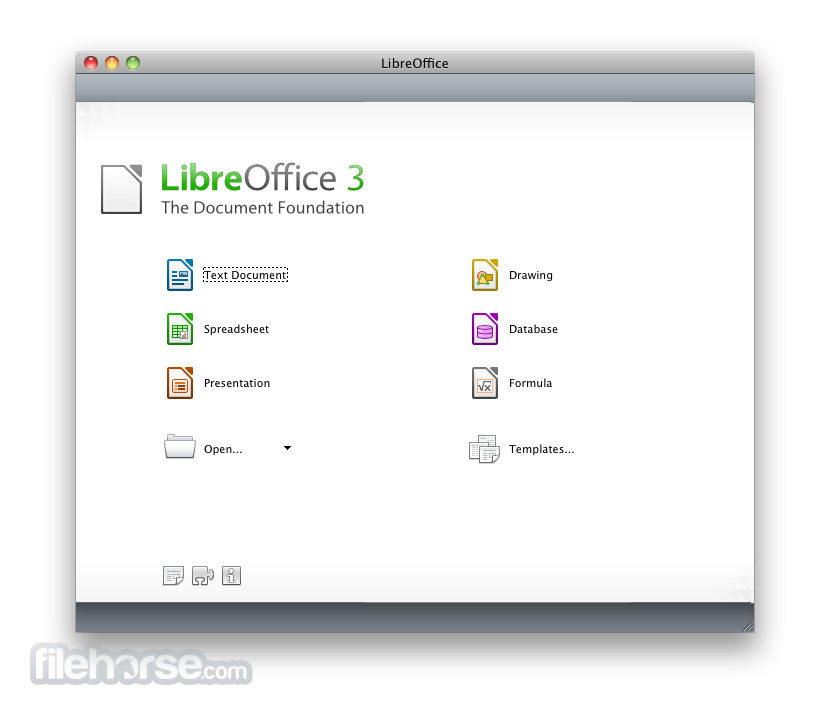
LibreOffice 26.8.0 Screenshots
The images below have been resized. Click on them to view the screenshots in full size.
-

-

-
-
What's new in this version:
Writing systems:
- The largest single body of work in this release addresses bidirectional and complex text. Writer now detects paragraph direction automatically when documents or plain text are opened or pasted. Line wrapping places end-of-line spaces according to the direction of the paragraph rather than that of the adjacent characters. Object resize handles behave correctly in right-to-left and vertical CJK documents. Bidirectional control characters are now visible alongside other formatting marks. In Calc, typing right-to-left text into an empty cell sets the direction of that cell automatically.
- Alignment semantics have been revised accordingly: new documents default to start alignment rather than left, and changing paragraph direction no longer mirrors explicitly left- or right-aligned paragraphs.
- Math has gained named functions and operators for the N’Ko and Adlam scripts, used for the Manding languages of West Africa and for Fulani, together with left-pointing vectors and harpoons for right-to-left formulas. The CJK text grid option has been renamed to reflect what it actually does, namely enable the genkō yōshi manuscript grid. Font names recorded in languages other than the interface language are now resolved, so documents authored elsewhere display in the typefaces their authors chose.
- None of this work has a commercial market. It was done anyway, because a foundation does not have to ask whether a language pays for itself before deciding to support it.
Typography:
- Writer introduces the Paragraph Composer, a text layout algorithm that balances word spacing across consecutive lines instead of optimising each line in isolation. The single-line, greedy approach used by word processors has been standard since the technology existed, and produces justified text that alternates between crowded and sparse lines wherever long words fall near a break.
- OpenType font variations are now natively supported, allowing variable fonts to be used as designed, including axes that adjust letterform contrast and proportion to the size at which text is set.
- Baseline grid alignment now works correctly for text inside frames, and the grid itself can be displayed while editing, with a configurable colour.
Document exchange:
- LibreOffice Chart provides basic round-trip support for the newer chart types that Microsoft Office writes into OOXML files: box-and-whisker, funnel, Pareto, sunburst, treemap and waterfall. These charts cannot yet be rendered or edited. LibreOffice displays a message identifying the unsupported type and preserves the underlying definition, so that a file opened and saved in LibreOffice returns to its originating application intact. Region map charts carry extensive geographic data that is not preserved; the chart type survives the round trip but little of its content does.
- The distinction matters. A specification extended unilaterally by a single implementer is a moving target for every other implementer. Preserving what cannot yet be rendered is the discipline that keeps a document usable beyond the lifetime of the application that created it.
- Calc improves the handling of line breaks in referenced cells in XLSX files, and form control elements in XLSX documents now appear in the Navigator.
Spreadsheets:
- Calc adds Calculated Fields to pivot tables. Data validity can now silently reject invalid entries, restoring behaviour available before version 24.2. Cell styles support relative font sizes. A Shuffle command randomises the order of cells in a range. The border toolbar button remembers and reapplies the most recently used style.
Presentations and drawings:
- Impress and Draw support multiple page sizes within a single document. Impress adds presentation sections for organising slides into named groups, displays custom slide names beside slide numbers in the panel, and can convert numbered lists to bulleted ones. Several embedded templates are now supplied in both 16:9 and 4:3 ratios, so that background artwork is no longer stretched when the ratio changes. In Draw, the functions of the mouse wheel can be swapped, making zoom the default action.
User interface:
- The Notebookbar now carries a distinct background colour for each application, so that Writer, Calc, Impress and Draw can be told apart at a glance. Its tabs have category labels and can be scrolled with the mouse wheel or touchpad. Changes to application theme colours no longer require a restart, and theme colours are reachable from the Notebookbar in Impress.
- The list of styles is now consistent across the Notebookbar, the Formatting toolbar and the sidebar, and each entry is shown as a preview of the style itself. Style dialogues allow individual properties to be reset to those of the parent style. Paper sizes from A0 to B3 have been added to page settings. Custom dictionaries have gained a search filter, the Hyperlink dialogue can strip query strings from addresses, and resizable dialogues on Windows now have a maximise button. On macOS, the Emoji & Symbols, Dictation and AutoFill menu items are available.
Accessibility:
- Writer tables now report row and column index information as specified in ARIA, improving how screen readers convey table structure. The special character selector is fully navigable by keyboard.
Databases and automation:
- Base preserves SQL comments when a query is switched to Design View, and supports filtering on date, time and timestamp columns with the embedded Firebird database.
- Python scripts can be created and edited directly from the Macro manager without installing an extension, and can instantiate UNO services through constructors rather than string identifiers. The ScriptForge libraries add a typed input dialogue, functional map, filter and reduce operations on Basic arrays, and a default named pipe that allows the same script to run unchanged inside LibreOffice or against it as a client.
Elsewhere in the suite:
- Keyboard shortcuts can be assigned to an individual document, so a shortcut can invoke a style that exists only in one template.
- Writer opens very large documents containing images significantly faster.
- A Draft view hides headers, footers and margins for distraction-free work.
- The Quick Find sidebar searches through comments.
- Table styles in Writer and Calc can be edited, and their internal representation has been converted from a binary format to XML.
- Application theme colour changes no longer require a restart.
- Additional paper sizes from A0 to B3 are available in page settings.
- The style list is now consistent across the Notebookbar, the Formatting toolbar and the sidebar.
- Automated testing now uses VeraPDF to validate PDF output.
No artificial intelligence:
- LibreOffice 26.8 contains no generative AI features. Documents are not transmitted to remote services for processing, and no component of the suite requires network access to function. This is a deliberate position. Any organisation handling confidential, legally privileged or personal data needs to know where that data goes, and the only assurance that survives an audit is that it does not leave the machine.
How LibreOffice is funded:
- LibreOffice 26.8 is the first release to display a donation banner in the Start Centre, the screen shown when the suite is launched without opening a document. The banner is shown periodically rather than at every launch, for instance at monthly intervals or after a successful update. It links to the donation page and appears nowhere else in the software.
- LibreOffice carries no advertising, no telemetry, no subscription, no account requirement, and no feature withheld behind payment. It is released under the Mozilla Public License v2 and can be deployed without restriction by individuals, companies, schools and public administrations. Development is funded by donations to The Document Foundation and by the companies of the LibreOffice ecosystem. The banner exists because software used by tens of millions of people is not free to maintain, and because every alternative route to sustainability would cost users something they currently have.
Changes users should know about:
- The Gentium Basic and Gentium Book Basic fonts are no longer bundled. Documents that specify them will fall back to another typeface unless the fonts are installed separately; they remain available for download from The Document Foundation, and current Gentium releases are available from SIL.
- New documents default to start alignment rather than left alignment, and changing paragraph direction no longer mirrors explicitly aligned paragraphs. Safe Mode has been renamed Troubleshoot Mode.
- Obsolete Java applet configuration has been removed, along with the OfficeBean example in the SDK.
 OperaOpera 135.0 Build 5973.133
 PhotoshopAdobe Photoshop CC 2026 27.10
 OKXOKX - Buy Bitcoin or Ethereum
 WPS OfficeWPS Office
 Adobe AcrobatAdobe Acrobat Pro 2026.002.21901
 CleamioCleamio 3.4.0
 MalwarebytesMalwarebytes 5.27.1
 TradingViewTradingView - Track All Markets
 CleanMyMacCleanMyMac X 5.2.10
 AdGuard VPNAdGuard VPN for Mac 2.10.0
Comments and User Reviews