




 Tungsten PDF
 Trade Ideas
 Adobe Sign
 Swift
Swift PDFelement
-
Latest Version
Fantastical 4.1.18 LATEST
-
Review by
-
Operating System
macOS 12.0 Monterey or later
-
User Rating
Click to vote -
Author / Product
-
Filename
Fantastical_4.1.18.zip
The app's natural-language engine is expressive and intelligent, so you can write in your own style. The app also automatically recognizes the location of your event and can even invite people from your Contacts to the event.
Features and Highlights
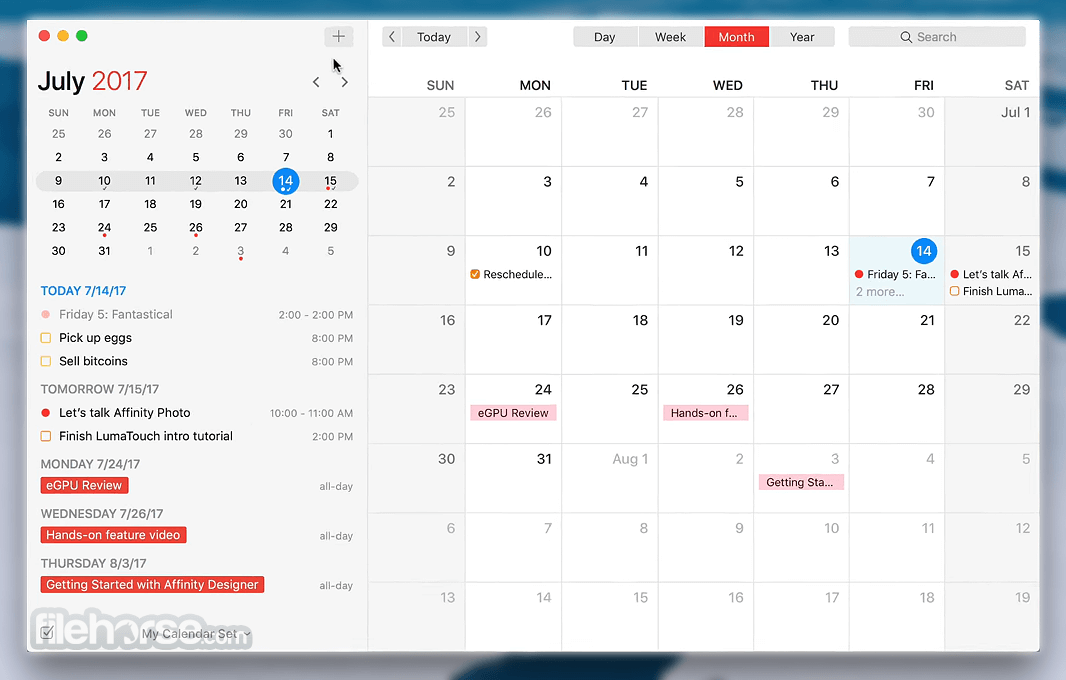
Beautiful, all-new design exclusively for macOS
The original Fantastical for Mac was only a menu bar app. "With Fantastical 2, we've reinvented Fantastical and made it a full Mac application, without losing the benefits and convenience of the menu bar window".
Add events and reminders using natural language
The tool's natural language engine is expressive and intelligent so you can write in your own style. The app automatically recognizes the location of your event and can even invite people from Contacts to your event.
Introducing calendar sets
The app lets you quickly toggle multiple calendars on or off with a single click, so you can focus on what's more important in that moment. The days of going back and forth, clicking multiple times, just to hide and show your calendars are over.
Maximize your productivity with the Mini Window
The Mini Window that started it all is back, better than ever. The app's Mini Window resides in your menu bar and lets you create, edit, and view your events and reminders instantly. With this product, you can now drag the Mini Window away from the menu bar, allowing you to position the window anywhere you like. And the new infinite list makes it easy to find all of your events and reminders, no matter when they occur.
It does reminders, too
The app supports the same reminders as macOS and iOS, giving you the fastest way to create or update your to-do list. Creating a new reminder is as easy as creating a new event: just type in what you need to get done. The app now features a focused reminders list, as well as support for location-based reminders.
Bring your own calendar accounts
Fantastical Calendar for macOS has its own engine for CalDAV and Microsoft Exchange: This means you can add your calendar accounts directly into the tool. The app supports iCloud, Google, Microsoft Exchange, Yahoo, as well as any other CalDAV account.
macOS Today Widget, Share Extension, and Action Extension
The app's Today Widget gives you convenient access to your schedule. The new Share and Action Extensions make it super easy to get data into your calendar. Just select some text in Safari, Mail, or any other app that supports extensions and send it to the app instantly.
Power at your fingertips
The app supports availability and scheduling, allowing you to quickly find out if coworkers are available when creating a new event. Scheduling requires a supported server, such as Google Apps or Exchange. iCloud does not support availability.
PROS
- Intuitive and beautiful interface
- Natural language event input
- Seamless calendar sync
- Weather and time zone support
- Integration with task apps
- Limited features in free version
- No offline mode for some features
- Occasional sync issues
- High cost for premium features
-
Fantastical 4.1.18 Screenshots
The images below have been resized. Click on them to view the screenshots in full size.
-

-

What's new in this version:
New:
- Added the option to show Internet Account calendars and task lists
- Added support for Google Labels
Improved:
- search to find items by partial word matches
- performance when loading events at launch or when changing dates
- alarm handling when switching calendars or toggling All Day
- the item editor to prevent picking duplicate alarms
- the clipping of search results when using a bigger text size
Fixed:
- an issue where calendars from Microsoft 365 accounts could disappear when Microsoft 365 is overloaded
- dropping an event into Finder from the list
- some tasks showing the wrong alert time in search results
- an issue that could cause duplicate mirrored events when mirrored events were hidden
- an issue where existing Exchange calendar events couldn't be modified or deleted using MCP or Siri
- a crash when syncing events from Microsoft 365 that were using the America/Edmonton time zone
- the custom color of an event being lost when moving it to another calendar of the same account
- a rare issue where a multi-day all-day event would collapse to a single hour when turning off All Day
- an issue where opening locations from Fantastical in Citymapper would only show the coordinates in some cases
- an issue where saving an event required pressing Done twice when a date picker was open
- a crash when adding new Todoist accounts
- an issue where events created using the natural language parser would sometimes have the wrong end date
- the time zone override menu not working in Day or Week view when the sidebar is hidden
- Various fixes and improvements
 OperaOpera 134.0 Build 5954.66
 PhotoshopAdobe Photoshop CC 2026 27.9.1
 OKXOKX - Buy Bitcoin or Ethereum
 WPS OfficeWPS Office
 Adobe AcrobatAdobe Acrobat Pro 2026.001.21789
 CleamioCleamio 3.4.0
 MalwarebytesMalwarebytes 5.25.2
 TradingViewTradingView - Track All Markets
 CleanMyMacCleanMyMac X 5.2.10
 AdGuard VPNAdGuard VPN for Mac 2.10.0
Comments and User Reviews