




 Brave
Brave ChatGPT Atlas
 Chrome
 Comet
Comet Multilogin
 Firefox
 Opera GX
-
Latest Version
Adobe AIR 51.3.3.1 LATEST
-
Review by
-
Operating System
Mac OS X 10.9 or later
-
User Rating
Click to vote -
Author / Product
-
Filename
AdobeAIR.dmg
-
MD5 Checksum
68fda3d72f9ce11f0ae589cda37cd373
Adobe AIR for macOS is a cross-operating system runtime being developed by Adobe that allows developers to leverage their existing web development skills (Flash, Flex, HTML, JavaScript, Ajax) to build and deploy rich Internet applications (RIAs) to the desktop.
Companies like eBay and AOL are using this program to create exciting new applications that allow you to use their services on your desktop. In short, the app means applications that are easier, more powerful, and more fun to use.
Be safe on the web: this tool helps ensure safe installations by requiring digital signatures on each AIR application that identifies the application and its creator before you install it. Download, Install, or Update Adobe Air for Mac!
Features and Highlights
Gaming
Enjoy stunning, blazing-fast cinematic 2D and 3D games for desktop, iOS, and Android™. Using fully accelerated GPU rendering and game controller support for gaming at home or on the go.
High Performance
Experience hardware accelerated HD video with smooth playback. Recent improvements allow supported AIR apps and games to deliver responsive feedback even at the most demanding times.
Extensibility
Developers can now give their desktop, iOS, and Android AIR games and applications full access to the latest platform-specific features by using AIR native extensions.
For MacOS, we recommend uninstalling an existing version 32 or earlier, prior to installing this, as the file locations have had to change due to Apple's notarisation requirements. To uninstall these versions of the AIR runtime, for MacOS, please run "Adobe AIR Installer" under your Applications folder.
How to Use
Open the downloaded .dmg file to mount the installer
Double-click the installer to begin installation
Follow the on-screen instructions to complete setup
Download AIR apps or games built with Adobe AIR
Double-click any .air file to install it via Adobe AIR
Launch installed AIR applications from Applications folder
Keep Adobe AIR updated for compatibility and security
System Requirements
- macOS 10.12 (Sierra) or later
- Intel or Apple Silicon (via Rosetta) processor
- 512MB of RAM (1GB or more recommended)
- 500MB of available hard disk space
- Internet connection for installation and updates
- Supports cross-platform app development
- Lightweight runtime for desktop apps
- Compatible with older macOS versions
- Good performance for 2D games
- Easy installation of AIR applications
- Limited support for modern macOS features
- Fewer updates and declining popularity
- Not optimized for Apple Silicon natively
- Security concerns with .air files
- Requires separate runtime installation
-
Adobe AIR 51.3.3.1 Screenshots
The images below have been resized. Click on them to view the screenshots in full size.
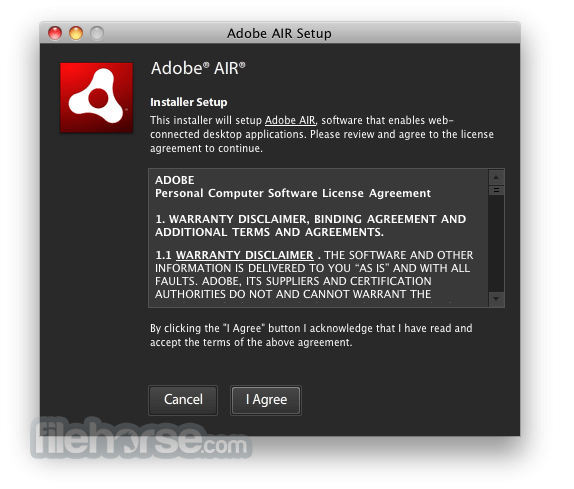
-
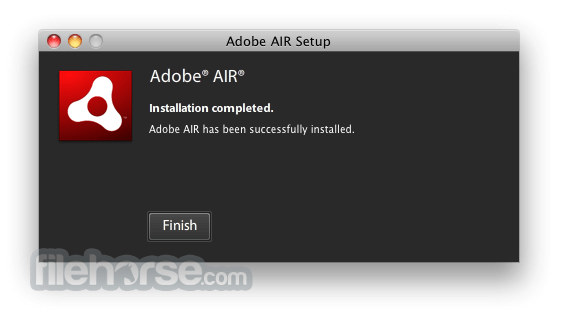
-

What's new in this version:
- AIR package format needs to allow code-signed MacOS binaries
- ADT on macOS to allow IPA default values rather than using xcode
- Updating build and packaging to use universal binary on ios-simulator
- Removing UILaunchImages in an IPA if there is a storyboard
- Do not delete a license file if network failures prevent validation
- Android mediacodec/videotexture usage gives a JNI error
- Ensuring iOS ANEs can specify minimum iOS version in sdkVersion field
- Ensure ADT doesn’t use old locations for license files
- Ensuring symbolic links in ANEs are supported in Linux bundle packages
- Ensuring the Windows runtime does not hang at the splash screen
- Ensuring Android camera list works with logical multi-cameras
- Removing libysshared.so from Android runtime.apk files
- AIR Windows stability improvements in audio handling
- Fixing deadlock in iOS on parallel URL downloads
- Ensuring ADT prevents Android strings.xml values from overwriting AIR values
- Fixing typo in config file, and updating based on latest supported flags
- Ensuring gcEfficiency minimum value (0.01) can be used
- Fixing stability issue when running print job from StageWebView callback
- Ensuring ADT rename option works for root SWF in IPA files
 OperaOpera 133.0 Build 5932.60
 PhotoshopAdobe Photoshop CC 2026 27.8
 OKXOKX - Buy Bitcoin or Ethereum
 WPS OfficeWPS Office
 Adobe AcrobatAdobe Acrobat Pro 2026.001.21691
 CleamioCleamio 3.4.0
 MalwarebytesMalwarebytes 5.24.0
 TradingViewTradingView - Track All Markets
 CleanMyMacCleanMyMac X 5.2.10
 AdGuard VPNAdGuard VPN for Mac 2.9.0
Comments and User Reviews