




 Tungsten PDF
 PDFelement
 Trade Ideas
 Adobe Sign
 Swift
Swift
-
Latest Version
Scrivener 3.5.2 LATEST
-
Review by
-
Operating System
macOS 11.0 Big Sur or later
-
User Rating
Click to vote -
Author / Product
-
Filename
Scrivener.dmg
-
MD5 Checksum
4b37ab2c526135a2c2bb2e52dd139bb5
Powerful features of Scrivener give you the complete control over formatting of such documents, leaving the writer with much easier time of creating ever-important first draft version of document.
If you are tasked to write a document that requires lot of referencing, tracking of notes, concepts and research documents that may or may not include audio and video files, then the app will without a doubt increase your productivity and enable you to create better end product.
Features and Highlights
For writing. And writing. And writing.
The app is the go-to app for writers of all kinds, used every day by best-selling novelists, screenwriters, non-fiction writers, students, academics, lawyers, journalists, translators and more. Scrivener for macOS won't tell you how to write—it simply provides everything you need to start writing and keep writing.
Grow your manuscript your way
Tailor-made for long writing projects, the app banishes page fright by allowing you to compose your text in any order, in sections as large or small as you like. Got a great idea but don't know where it fits? Write when inspiration strikes and find its place later. Grow your manuscript organically, idea by idea.
See the forest or the trees
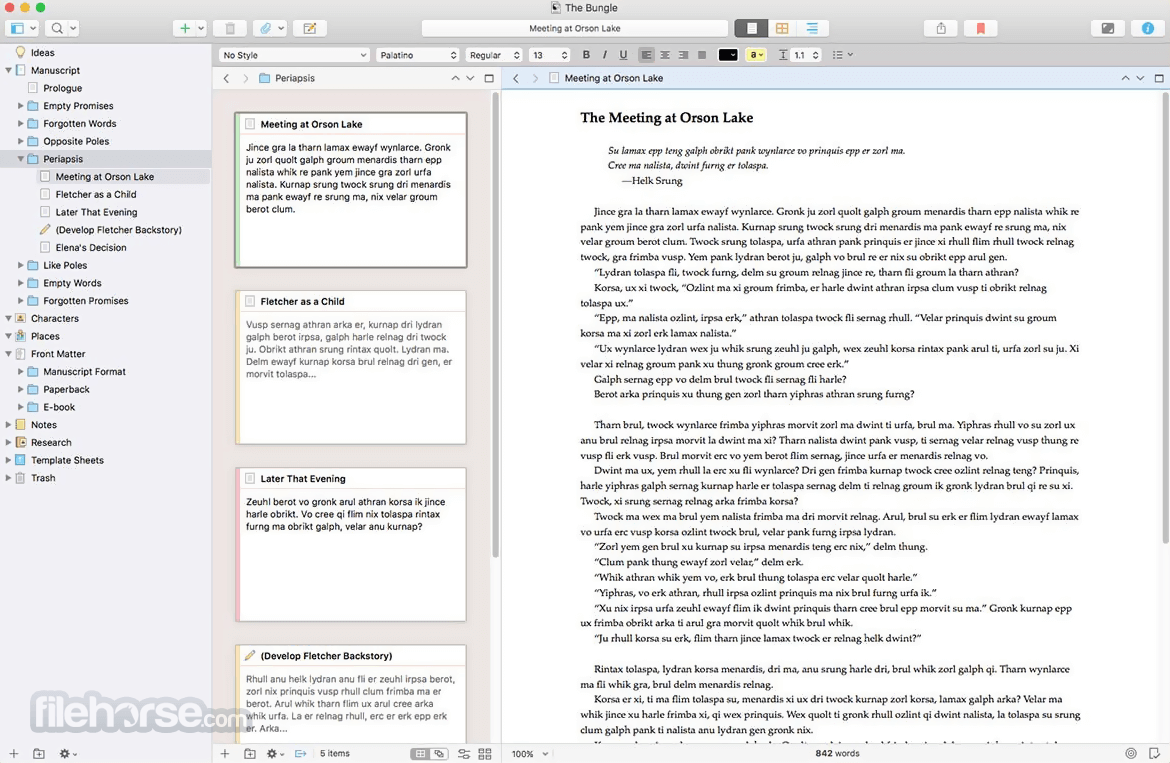
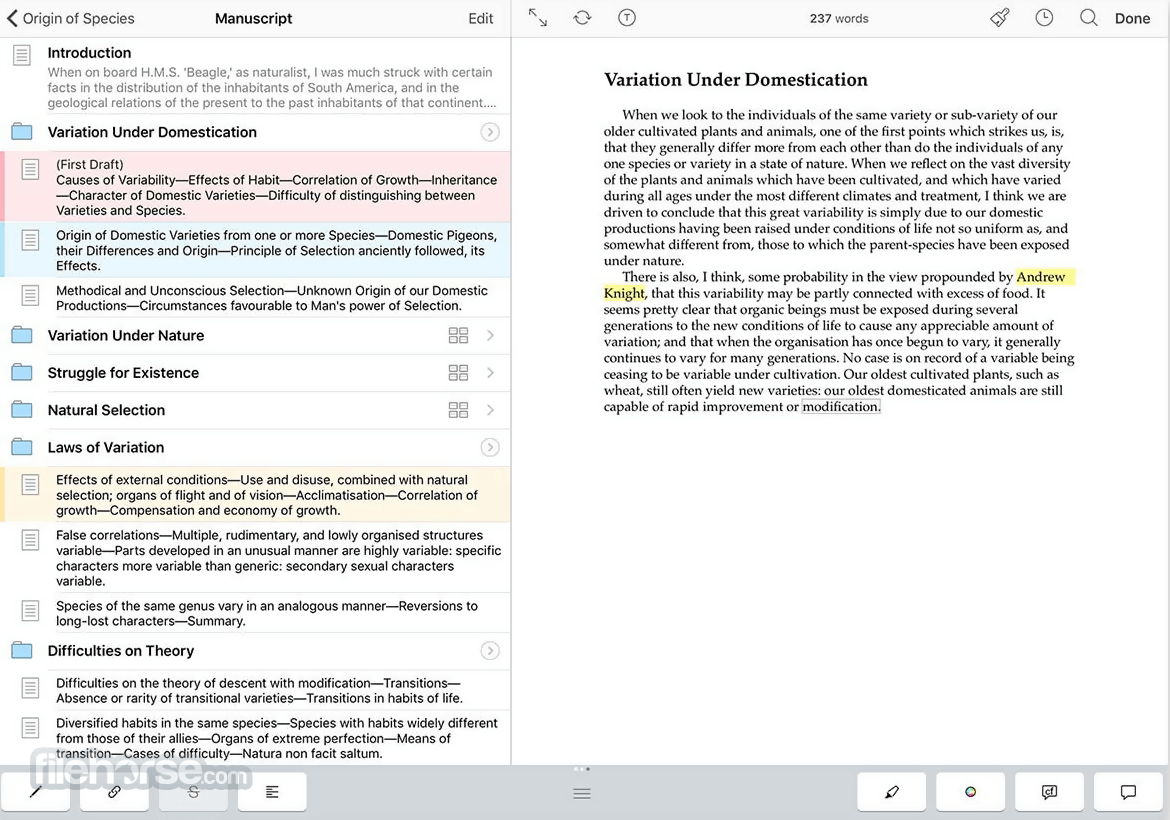
Whether you plan or plunge, the tool works your way: hammer out every last detail before typing a word, or carve out a draft and restructure later. Or mix your methods and do a bit of both. In the tool, everything you write is integrated into an easy-to-use project outline. So working with an overview of your manuscript is only ever a click away, and turning Chapter Four into Chapter One is as simple as drag and drop.
Research within reach
Need to refer to research? In the app, your background material is always at hand, and you can open it right next to your work. Write a description based on a photograph. Transcribe an interview. Take notes about a PDF file or web page. Or check for consistency by referencing an earlier chapter alongside the one in progress.
Getting it out there
Once you're ready to share your work with the world, compile everything into a single document for printing, self-publishing, or exporting to popular formats such as Word, PDF, Final Draft or plain text. You can even share using different formatting, so that you can write in your favorite font and still satisfy those submission guidelines.
How to Use
- Start a new project using a template
- Organize content using Binder and Corkboard
- Write in distraction-free Composition Mode
- Use Research folder to store reference material
- Split the editor to view multiple documents
- Compile the manuscript for export or printing
- Use snapshots to track document changes
- Customize labels, status, and metadata
- Back up projects automatically to cloud or disk
macOS 10.13 (High Sierra) or later
180 MB of available disk space
Minimum 4 GB RAM recommended
Intel or Apple Silicon Mac
Internet connection for license activation
PROS
- Powerful project organization tools
- Corkboard and outliner for planning
- Customizable writing environment
- Snapshot and version tracking features
- Supports multiple export formats
- Limited collaboration tools
- Complex compile/export options
- No real-time cloud sync
- Paid upgrade between major versions
Also Available: Download Scrivener for Windows
-
Scrivener 3.5.2 Screenshots
The images below have been resized. Click on them to view the screenshots in full size.
-
-

-

What's new in this version:
- Worked around a bug in macOS 26.1 and 26.2 that causes the outline and page view footer bars to be covered by a white strip whenever a horizontal scroller is visible
Fixed:
- Fixed bug whereby Insert ▸ Bibliography/Citations… was available in the main menu even when no citations manager was set in Settings, resulting in a nonsensical warning message when you tried to use it
- Fixed issue whereby Writing Tools no longer appeared in the editor contextual menu on macOS 26
- Fixed bug whereby font choosing buttons would draw the font name outside of the button for large fonts
 OperaOpera 134.0 Build 5954.66
 PhotoshopAdobe Photoshop CC 2026 27.9.1
 OKXOKX - Buy Bitcoin or Ethereum
 WPS OfficeWPS Office
 Adobe AcrobatAdobe Acrobat Pro 2026.001.21789
 CleamioCleamio 3.4.0
 MalwarebytesMalwarebytes 5.25.2
 TradingViewTradingView - Track All Markets
 CleanMyMacCleanMyMac X 5.2.10
 AdGuard VPNAdGuard VPN for Mac 2.10.0
Comments and User Reviews